
Campaign emails are the emails your campaigns send. Every plan includes a fixed number of them each month, separate from your credits. Sending never spends credits. This article explains what counts, where to watch the number, and what happens when it runs out.
How many you get
| Plan | Campaign emails per month | Price per month |
|---|---|---|
| Starter | 100,000 | $99 |
| Pro | 300,000 | $249 |
| Scale | 600,000 | $449 |
| Hyperscale | 1,000,000 | $649 |
Yearly plans get the same number every month. The free trial includes 300 campaign emails, for the 7 days of the trial. Credit packs bought with Pay as you go do not include campaign emails, because campaigns need a plan.
What counts and what does not
| Counts? | |
|---|---|
| The first email of a sequence | Yes, once per email sent |
| Every follow-up step | Yes |
| Emails from a subsequence | Yes |
| Warm-up emails | No, warm-up never counts |
| An email that did not go out | No, only emails actually sent count |
The count is shared by the whole workspace. Three campaigns that each send 10,000 emails use 30,000 of the same allowance. Only emails that go out count, so a paused campaign or a lead that left the sequence uses nothing.
Where to see it
The header of the Campaigns page shows how many campaign emails you sent this month out of your allowance. During the trial it shows the trial's emails used and how many trial days are left.
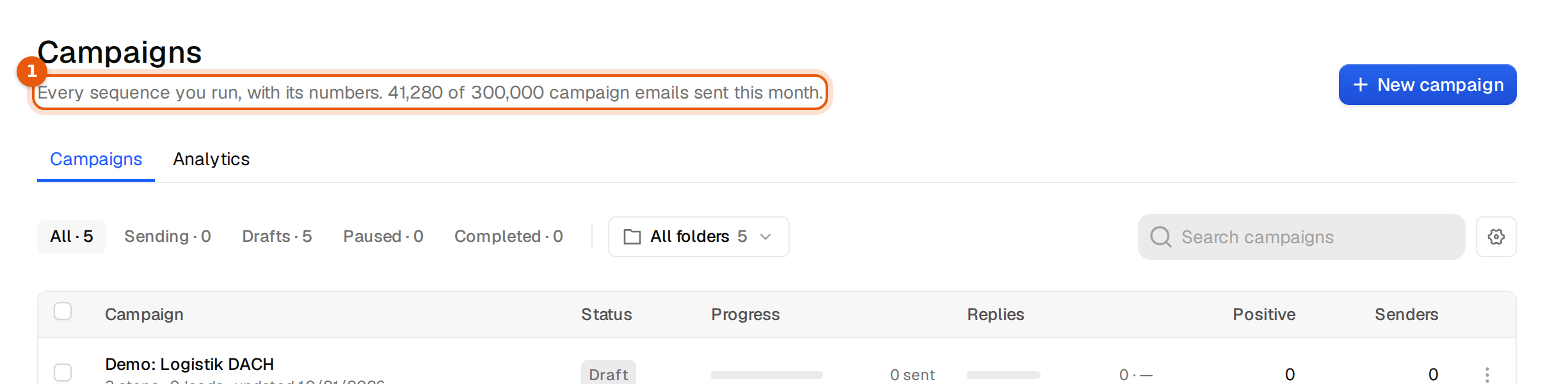
Each campaign's page shows the same number from its side, as campaign emails left this month, next to its leads, sends and replies. For the full picture open Settings, then Plans and usage and look at the Campaign emails card.
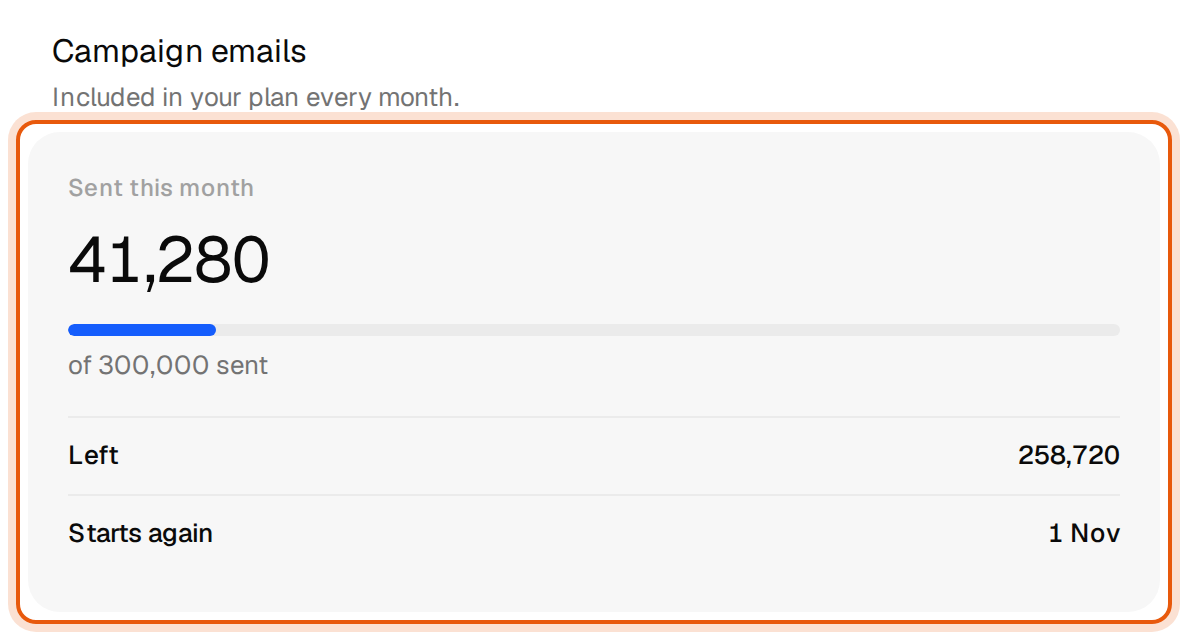
When the month starts again
The count starts again on the first day of each calendar month, in UTC. The card shows that date under Starts again. Unused campaign emails do not carry over to the next month.
When it runs out
At 80% of the month's campaign emails, the Campaigns page and each campaign page show a notice, and the workspace owner gets one email. Nothing pauses yet.
- Your active campaigns pause and show Paused with the reason Monthly email limit reached. The Campaigns page and each campaign page say why, with the date sending resumes and an Upgrade button, and the workspace owner gets one email:
Monthly email limit reached. All 300,000 campaign emails for this month are used. Sending resumes on November 1, 2026, or right after an upgrade.
- Nothing is lost. Every lead keeps its place in the sequence, and replies still arrive in Unibox.
- On the date shown, or right after you move to a bigger plan, the campaigns that were paused for this reason start sending again on their own. You do not need to restart them.
A campaign cannot be launched while the allowance is used up. The launch check lists it as a blocker, with the same sentence. See Why a campaign will not launch.
During the trial
The trial's 300 campaign emails are for the 7 days of the trial. When they are used up, or the trial ends, sending pauses until you pick a plan. The header then says so and links to the plans:
Your 7-day trial ended on October 20, 2026. Pick a plan to keep sending.
Common mistakes
- Planning a month by leads, not emails. A sequence with four steps can send four emails per lead. 50,000 leads on a four step sequence can need up to 200,000 campaign emails. Pro covers that, Starter does not.
- Expecting credits to cover sending. Buying a credit pack adds credits for contacts and checks. It does not add campaign emails. To send more, move to a bigger plan.
- Thinking a paused campaign is broken. If the campaign page names your plan as the reason, it is the allowance. It restarts on its own.