
The CLI is a dependency-free wrapper over the same REST API the web app and the MCP connector use. It exists for the case where list building is part of a recurring workflow rather than a thing a person does on a Tuesday: a nightly refresh, a CI step that keeps a CRM current, an agent loop that needs a machine-readable answer. This guide walks that whole path, including the parts that spend money and the exact shape of a run that cannot spend more than you intended.
The one rule to internalize first
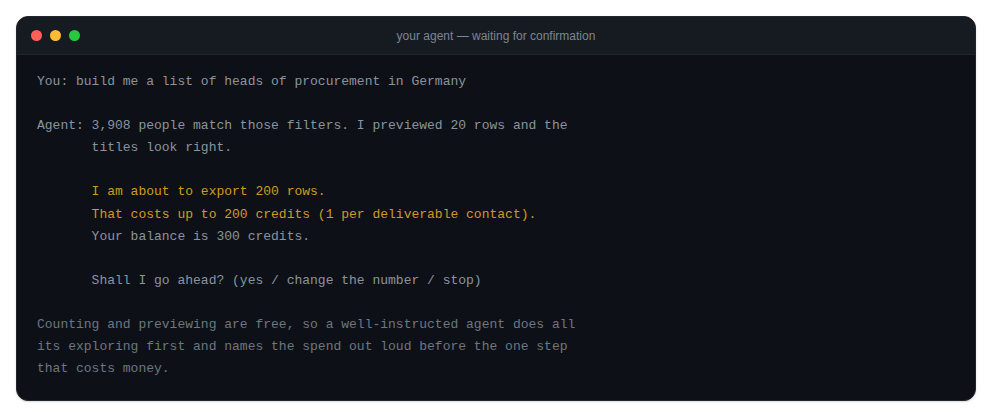
Before any command: reveal, export and verify --file ask for confirmation only when stdin is a terminal and you passed neither -y nor --json. In CI, inside a pipe, or inside an agent loop there is no prompt at all and these commands spend immediately.
The prompt is a convenience for humans, never a safety net. The thing that actually controls spend is the number you pass to -n, so read it before you run, especially in a script where nobody will be watching.
Install and first run
Nothing to install if you do not want to:
npx argorant count "fintech CFOs in germany"Or install it globally, where the package is named argorant:
npm install -g argorant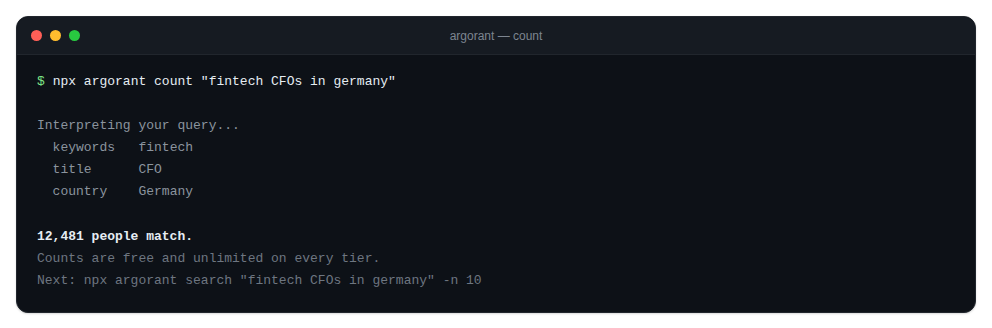
Key handling, and which credential wins
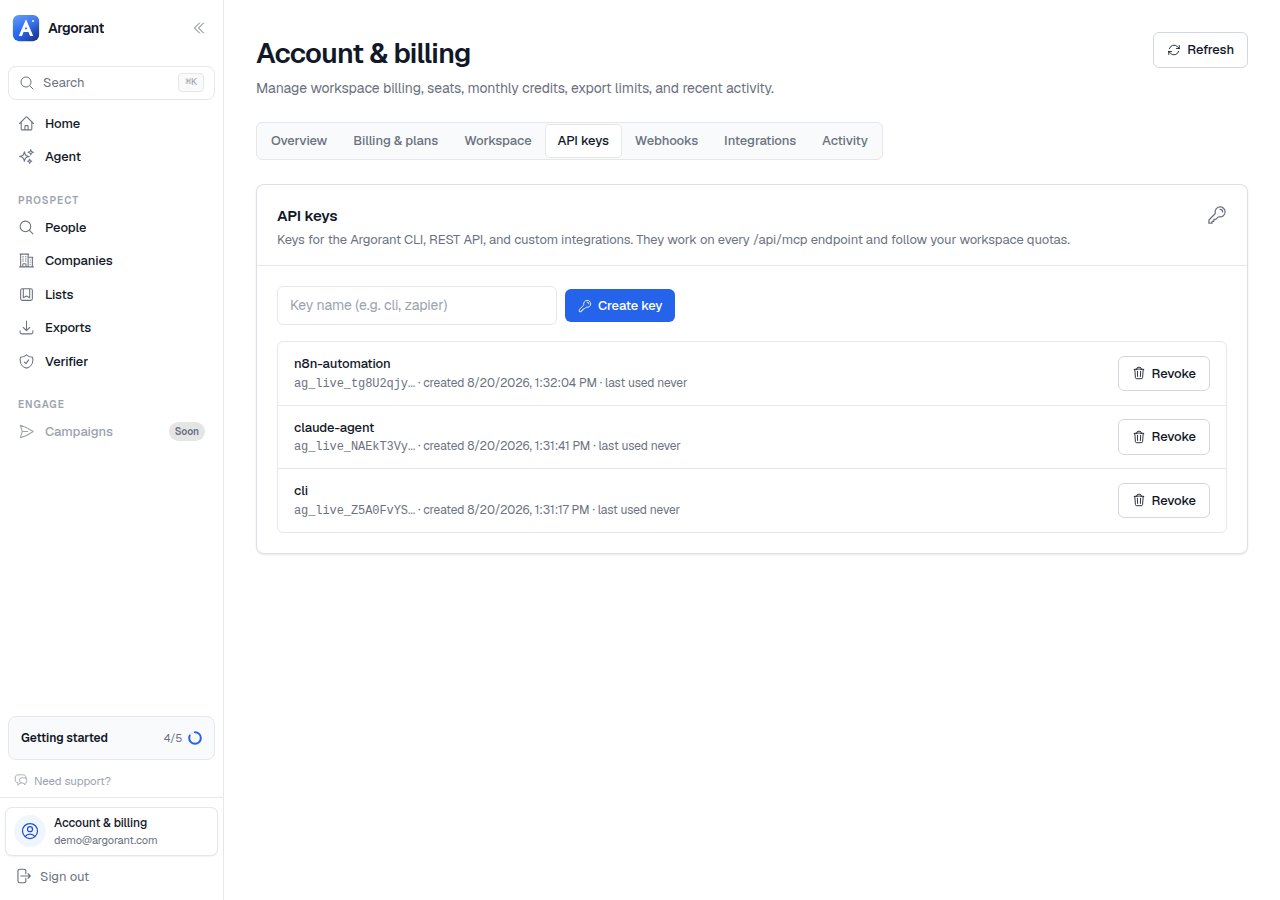
The CLI takes an ag_live_ key, created under Profile, API keys. There are three ways to supply it and a strict order of precedence.
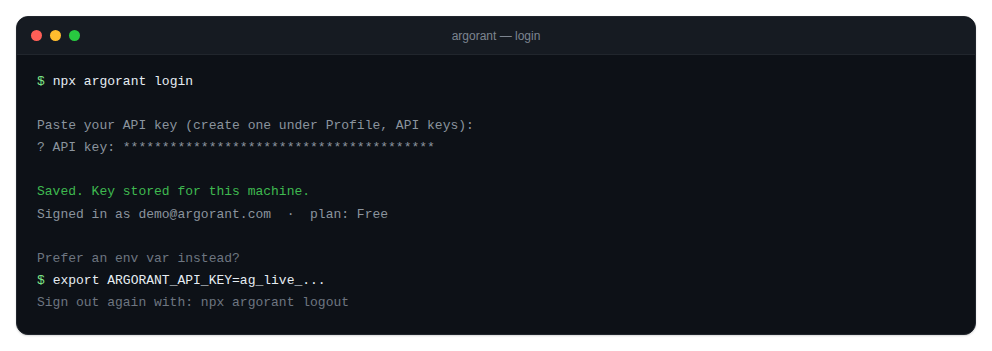
Interactive, for your own machine
npx argorant loginIt prompts with the input masked, validates the key against the account endpoint, and stores it. A rejected key fails immediately with a clear message rather than being saved and failing later on a command that costs money. You can also pass it inline as argorant login <key>.
Environment, for CI and agents
export ARGORANT_API_KEY=ag_live_...This is the right shape for scripts, pipelines and agents. Nothing touches disk, and the variable is read on every invocation.
Precedence
ARGORANT_API_KEYin the environment wins over everything.- Otherwise the key saved by
argorant loginis used, from~/.argorant/config.json, written at mode0600. - With neither, commands exit with code
2and tell you to log in.
argorant logout removes the config file. If ARGORANT_API_KEY is still set, the CLI warns you, because that variable takes precedence and would keep you authenticated. Unset it too.
Key hygiene for pipelines
- One key per pipeline or agent. Usage stays attributable and revoking one never breaks another.
- Keys go in the CI secret store, never in a committed file and never pasted into a shared chat. Chat histories get exported and screenshotted; if it happened, rotate now.
- Rotate without downtime: create the new key, deploy it, confirm with
npx argorant whoami, then revoke the old one. Revocation is immediate and the next request using it fails with 401.
The free commands, which you should wear out
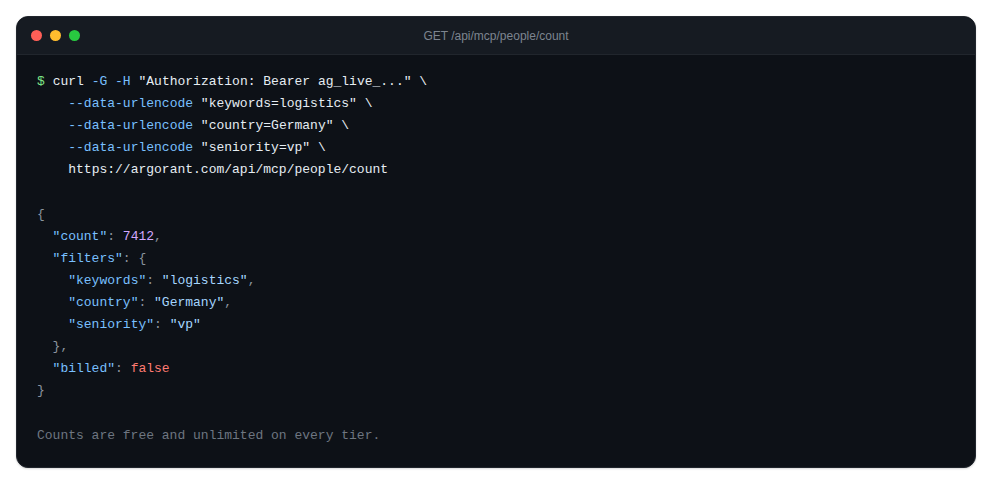
count returns the size of a segment. search returns matching people with the identity masked. company answers whether a specific account is reachable at all. None deduct contact credits; account permissions, quotas and rate limits apply.
npx argorant count "fintech CFOs in germany"
npx argorant count --keywords logistics --country "United States" --seniority vp
npx argorant search "heads of procurement" --country Germany -n 10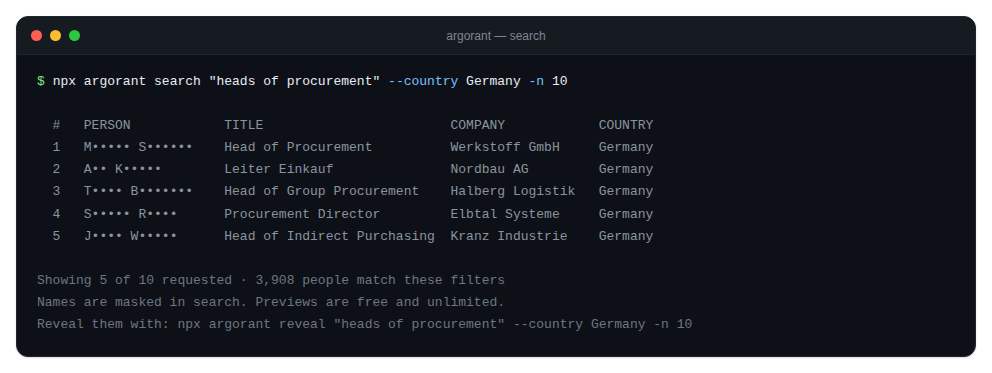
Add --json to any command for machine-readable output. Scripts and agents should always use it: field names are stable, the human formatting is not, and parsing the pretty output is how a pipeline breaks silently on an upgrade.
Filters are shared across every search-shaped command, so what you learn on count applies unchanged to search, reveal, export and list create:
--keywords --title --exclude-title --seniority --department --industry
--country --geography --state --city --company --domain
--has-phone --has-linkedin --has-email --verified-only
-n/--limit  -o/--output  --json  -y/--yes  --base  --grade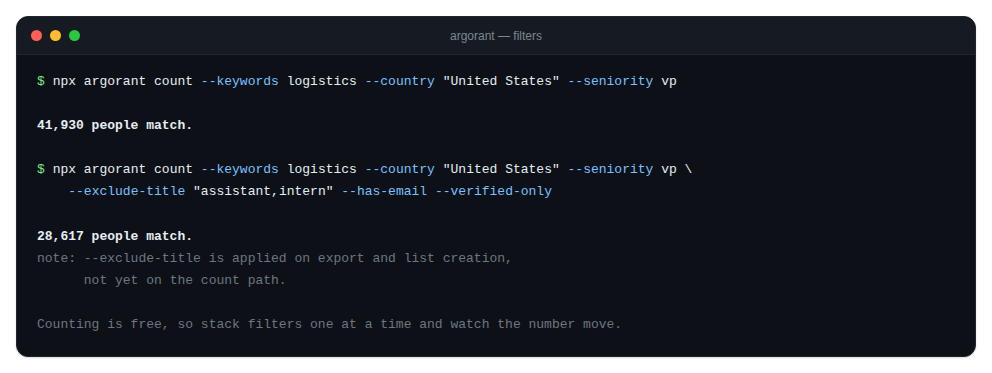
--keywords is the widest and most reliable door, with comma meaning OR, and it generally beats --industry. --country and --geography are the same filter and accept regions such as Europe, EMEA, DACH, Nordics, APAC, LATAM and GCC.
Two flags behave differently than the names suggest, and the CLI tells you rather than pretending. --exclude-title is fully applied by export and list create, but not yet on count, search and reveal, where a note goes to stderr. --grade chooses between the strict deliverable set and the wider one that includes catch-all, and it is wired end to end on reveal and export, but the platform does not narrow on it yet, so the CLI warns instead of claiming it did.
Two parsing guardrails are always on: a non-numeric -n aborts rather than falling back to the default limit, and a value flag followed by another flag aborts rather than swallowing it. Both exist because a swallowed flag would send a request you never asked for, with your money.
Saved lists from the terminal
A saved list is a reusable filter set rather than a frozen snapshot. Creating one is free and reveals nothing.
npx argorant list create --name "DACH CFOs 200+" --title CFO --country DACH
npx argorant list status 42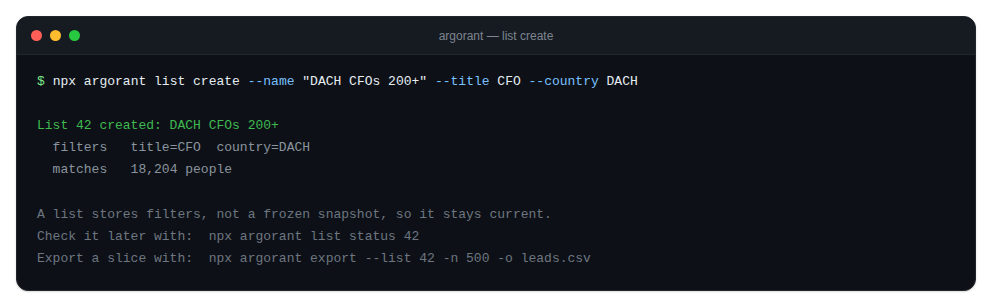
Lists are shared across surfaces. One your pipeline creates shows up in the web app, and one a colleague builds in the app is visible to your pipeline. Because list status is free, a scheduled job can watch a market move daily without spending anything, which is the cheapest monitoring you will ever build.
Exports, and the recovery path
npx argorant export "fintech CFOs" --country Germany -n 1000 -o leads.csvWhat happens, in order:
- The output path is checked as writable before the job is created, so a bad path can never bill you for a file you cannot save.
- You are asked to confirm, unless you passed
-yor--jsonor stdin is not a terminal. - The job is created and polled. Verification runs at this moment and only deliverable rows are billed.
- The CSV lands at your
-opath and the row count is printed.
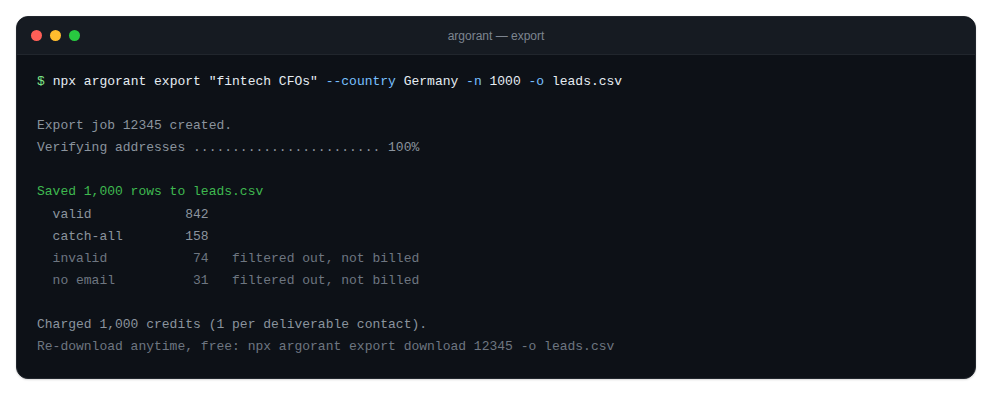
Two defaults worth knowing: has_email defaults to true so exported rows carry an address, and contacts you already exported are skipped unless you pass --include-exported. That second one is what makes a scheduled refresh return new people rather than re-enrolling everyone.
Branch: the process died mid-export
A paid export is never unrecoverable. If the CLI dies after the job was created, it prints the exact recovery commands, and both are free:
npx argorant export status 12345
npx argorant export download 12345 -o leads.csv
Branch: the export is above 50,000 rows
Above 50,000 rows the job becomes a multi-chunk batch. The CLI polls the batch and writes one file per chunk, leads-part1.csv, leads-part2.csv and so on, printing the batch id so you can fetch it again later:
npx argorant export status 987 --batch
npx argorant export download 987 --batch -o leads.csv
Verifying your own addresses
verify checks addresses you bring yourself and costs half a credit per check from your normal balance.
npx argorant verify someone@company.com
npx argorant verify --file emails.csv -o out.csv
npx argorant verify --file contacts.csv --column work_email -o out.csv
With a file it extracts and deduplicates the addresses, sends them in chunks of 500, and writes a CSV with email,status,deliverable, defaulting to argorant-verified.csv. The summary reports how many were deliverable, how many checks were billed, and how many were free because a recent result already existed. If no address is found, it aborts and suggests --column rather than silently doing nothing.
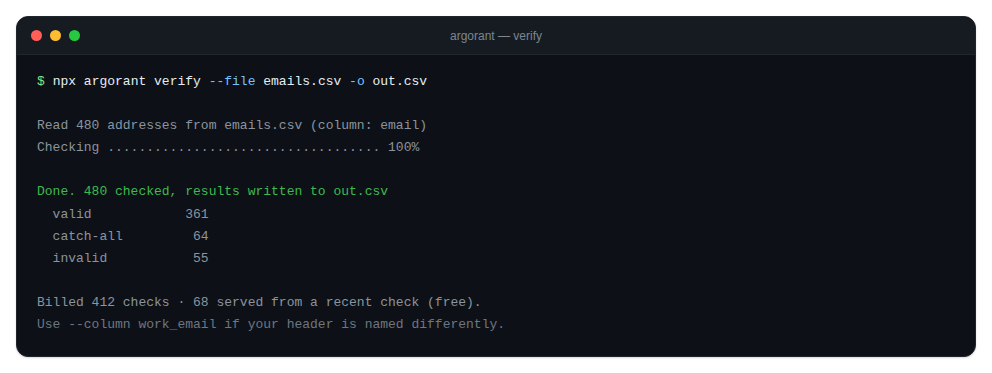
Contacts exported from Argorant are already verified at export time, so this command is for lists that came from elsewhere.
Exit codes: the contract with your pipeline
Branch on exit codes, never on error strings.
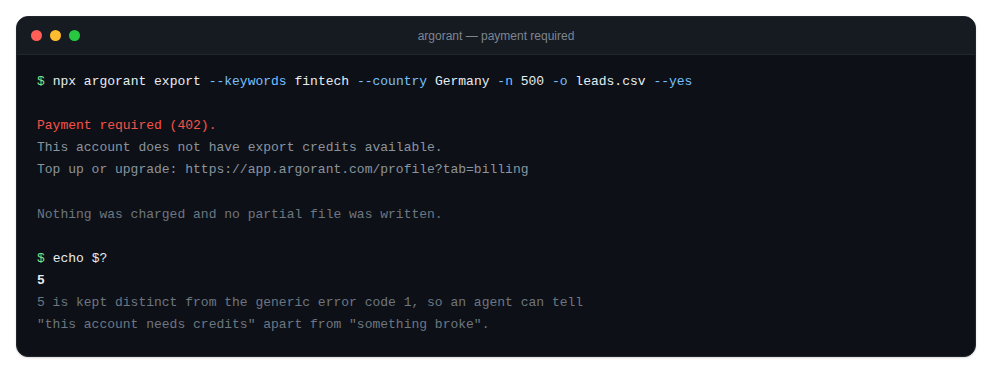
0success.1generic error: bad usage, network failure, or a job that failed server side. Something is actually broken.2not authenticated. No key, or the key was rejected. Fix the credential, then retry.3forbidden. The key is valid but lacks the scope. Widening a key is a human decision, not a retry.4rate limit or daily quota. Back off and resume later.5payment or plan upgrade required. The message carries the link.
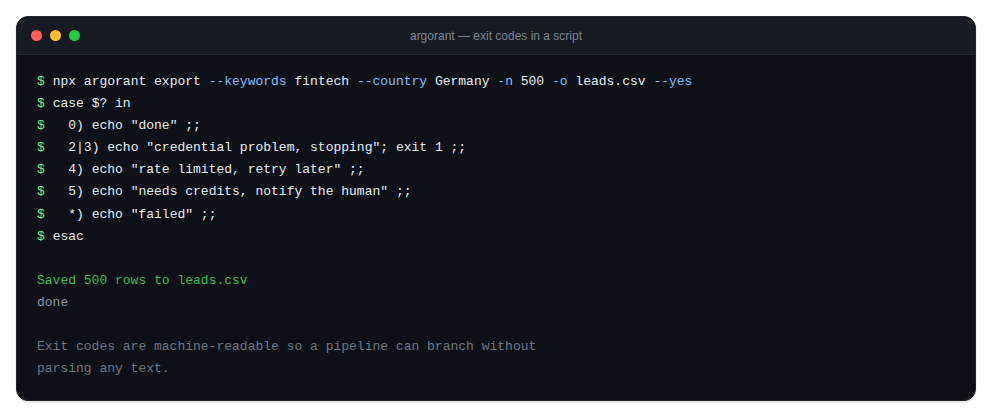
Code 5 is deliberately distinct from 1 for exactly that reason. A pipeline that retries a payment problem in a loop is a pipeline that pages you at four in the morning about something only a human with a credit card can fix.
A shell pattern that holds up:
npx argorant export --keywords fintech --country Germany -n 500 -o leads.csv --yes
case $? in
  0) echo "done" ;;
  2|3) echo "credential problem, stopping"; exit 1 ;;
  4) echo "rate limited, retry later" ;;
  5) echo "needs credits, notify a human" ;;
  *) echo "failed"; exit 1 ;;
esac
The codes map directly onto HTTP status codes on the REST API: 401 becomes 2, 403 becomes 3, 429 becomes 4, 402 becomes 5. An agent that uses both surfaces can share one error-handling path.
A cron job that refreshes a segment
The shape that works in production puts every free step before every paid one, so a bad night costs nothing.
#!/usr/bin/env bash
set -euo pipefail
export ARGORANT_API_KEY="$ARGORANT_KEY_FROM_SECRET_STORE"
LIMIT=500
OUT="/var/data/leads-$(date +%F).csv"
FILTERS="--keywords fintech --title CFO --country Germany"

# 1. Free: how big is the segment right now?
SIZE=$(npx argorant count $FILTERS --json | jq -r '.count')
if [ "$SIZE" -lt 200 ]; then
  echo "segment too small to bother, skipping"; exit 0
fi

# 2. Paid: export, with an explicit ceiling and no prompt.
npx argorant export $FILTERS -n "$LIMIT" -o "$OUT" --yes --json
case $? in
  0) ./push-to-sequencer.sh "$OUT" ;;
  4) echo "rate limited, will run tomorrow" ; exit 0 ;;
  5) ./notify-human.sh "Argorant needs credits" ; exit 0 ;;
  *) exit 1 ;;
esac
0 6 * * 1 /opt/jobs/argorant-refresh.sh >> /var/log/argorant.log 2>&1Four properties make that script safe rather than merely functional. The row limit is a named variable at the top rather than a default buried in a command. The free status check runs before anything is billed. A payment problem notifies a person instead of retrying. And a rate limit exits zero, because tomorrow's run will pick it up and a red build for a transient limit trains people to ignore red builds.
Things that will bite you exactly once
- Assuming the prompt will save you. In CI there is no prompt. The
-nvalue is the budget. - Parsing human output. Use
--jsoneverywhere in automation, from the first commit. - Leaving
ARGORANT_API_KEYset after a logout. The environment wins, so you are still authenticated. - Retrying a 5. No number of retries produces credits.
- Re-running a failed export from scratch. If the job was created it was billed, and
export downloadfetches it for free. Check before you re-run. - Sharing one key across three pipelines. Revoke it once and you break all three, and you will never know which one leaked it.
One last note on scope: argorant campaigns exists but is an internal operator surface, and a normal customer key gets a 401 or 403 there. That is the system working correctly rather than a bug to report. For customers the commands that matter are count, list, export and verify, plus whichever integration pushes the finished file into your own sequencer.
