

























24
Meetings booked in week one
“The appointments you're booking are crazy: Hugo Boss, AboutYou, Drykorn, Jack Wolfskin, all within a week.”

Christian Schmidt & Mike Klaßen
Co-Founders & Owners
Every row without a working email is a lead you cannot reach. Add Argorant as an HTTP API column and each row gets a work email checked at that moment, or keep the address you have and check it.
7-day free trial. Cancel anytime.
Chain Argorant with your other sources and keep the first good answer. The email you get back was checked at lookup time, and its status comes with it.
The full-contact template returns title, location, LinkedIn and, when you ask for it, the phone number, row by row, with the same key.
When you want a whole segment, build it in Argorant, export it with every email checked and import the CSV into Clay.
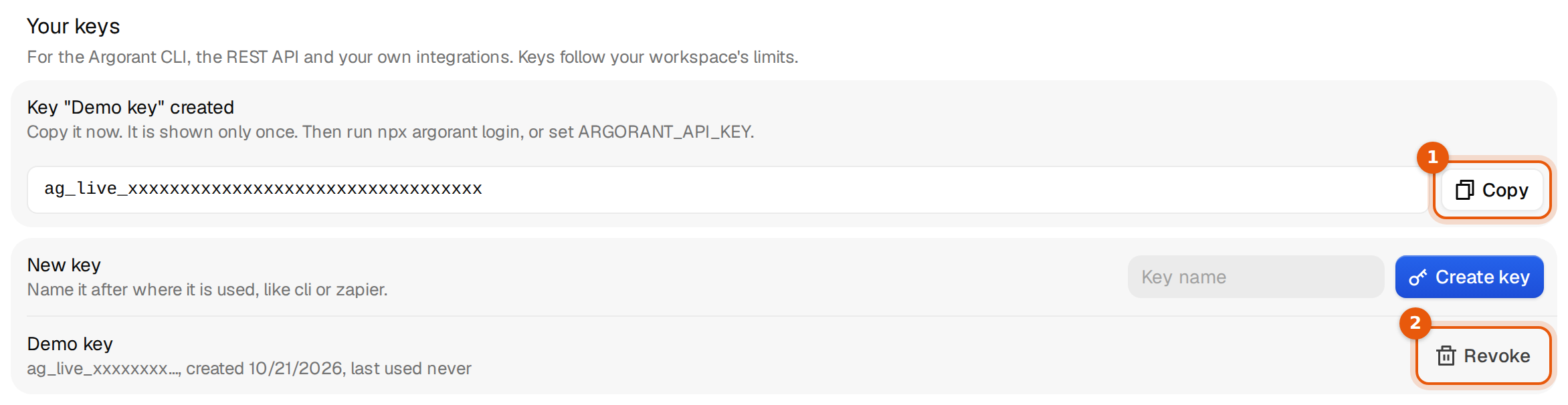
Nothing to install in Clay. Its HTTP API column calls Argorant directly with your key, row by row.
https:/AuthorizationBearer YOUR_API_KEY{"first_name": "Maya",https:/Create your account, then follow the steps above. It takes a few minutes.
Full Clay guide in the docsPublished by Argorant
Use Clay's HTTP API step to call Argorant. Store your API key as a protected credential, map one request, test one row, read the response, branch on valid or no-result, and only then run the whole table. Argorant is not in Clay's built-in catalog, and a run can use both Clay and Argorant credits.
Call Argorant REST endpoints using protected bearer authentication and mapped row inputs.
Use known company, domain, or person inputs for one-row enrichment where the API endpoint supports them.
Create and poll a bounded export outside or inside a controlled Clay workflow, then import results.
Argorant is not listed in Clay's built-in catalog; use the HTTP API step.
Decide whether Clay starts with rows to enrich or needs Argorant to create the company and contact universe.
Store the key as a credential, map inputs, and run success, miss, 401, and 429 cases on one row.
Require complete inputs, empty target fields, eligible status, and bounded row scope before calling.
Run a small batch, compare Clay Actions and Data Credits with the Argorant credits used, and look at every rejected row.
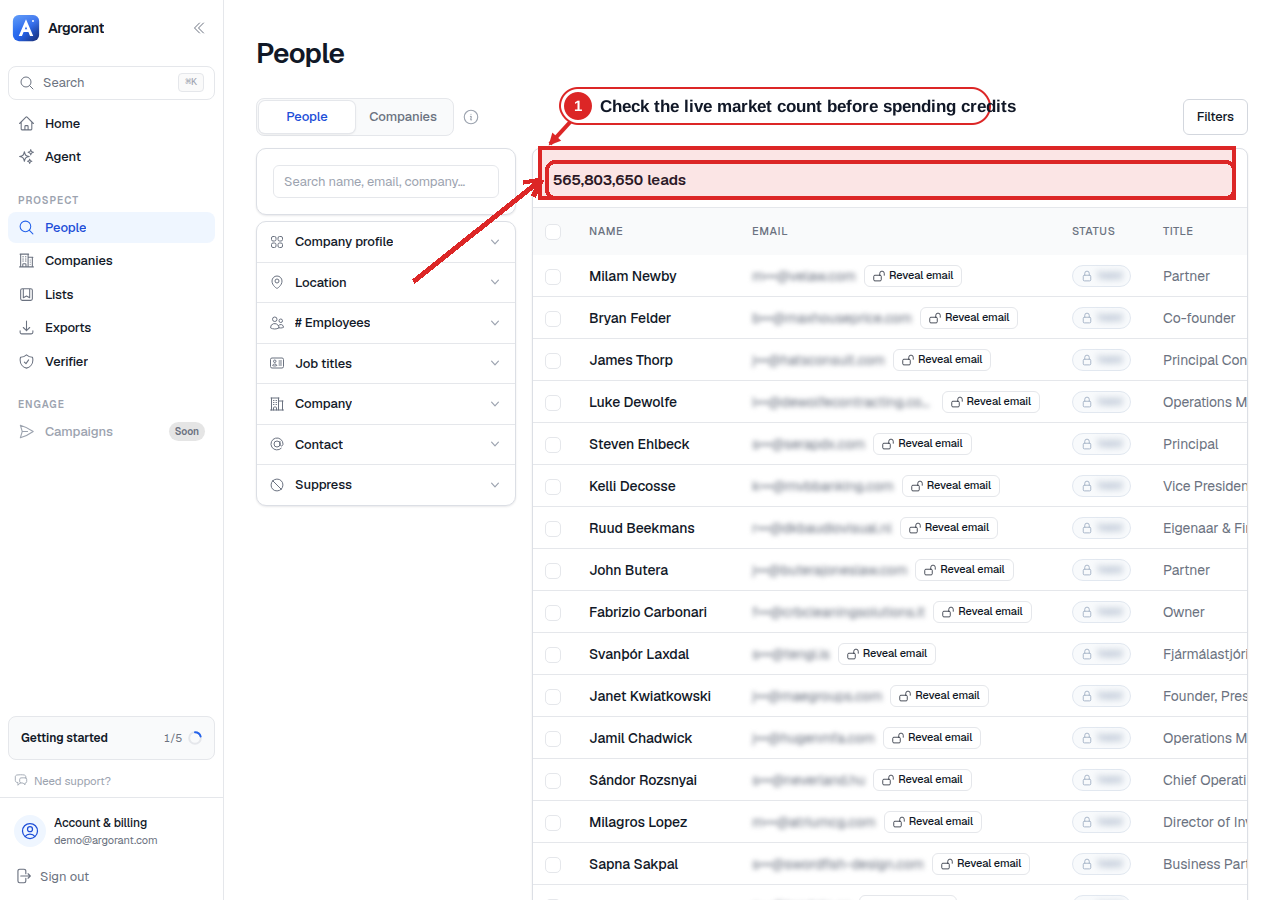
The matching count is visible before any contact is shown. Check it and a masked sample before you pay for an export or send contacts to another tool.
Customer stories
What happened when these teams put the right contacts into their outreach.
24
Meetings booked in week one
“The appointments you're booking are crazy: Hugo Boss, AboutYou, Drykorn, Jack Wolfskin, all within a week.”
Christian Schmidt & Mike Klaßen
Co-Founders & Owners

16.81%
Reply rate across the campaign
“We've gotten 16.81% in replies after working with you guys. Can only recommend you.”

Jannik Linke
Founder & CEO
€759K
Pipeline generated
“Yesterday I got confirmation for a pilot - and it was the very first appointment.”

Armin L. Rau
Founder & Managing Director
Clay + Argorant
Still have questions? Talk to us
Start your 7-day free trial.
“The appointments you're booking are crazy: Hugo Boss, AboutYou, Drykorn, Jack Wolfskin, all within a week.”
 Christian Schmidt & Mike Klaßen, Co-Founders & Owners, Boldbrands · Germany