






















24
Meetings booked in week one
“The appointments you're booking are crazy: Hugo Boss, AboutYou, Drykorn, Jack Wolfskin, all within a week.”

Christian Schmidt & Mike Klaßen
Co-Founders & Owners
Every lead you copy by hand is time you are not selling. In Make, an Argorant reply, bounce or ready list starts a scenario across 3,000+ apps, and any module can ask Argorant to find an email, enrich a contact or add a lead to a campaign.
Coming soon to Make
Every reply can start a scenario, or only one type. Pull the full text for your own AI, then answer, forward or set the status in the same scenario.
From a form, a sheet, a shop or a CRM, a scenario can find a work email, enrich a contact, check an address, save a list or add leads to a campaign. Searches and counts are free.
A check answers valid, invalid, catch-all, risky or unknown, so a router can send each address the right way before it reaches your CRM.
Six workflows teams build first. Each takes a few minutes to set up in Make and runs while you sell.


The owner sees who answered and what they wrote, in the team channel, the moment it lands.

A new Typeform entry gets a checked work email from Argorant and joins the campaign for its segment.

A running log of who answered, from which campaign and what they wrote, without copying a line.

When an address bounces or someone unsubscribes, they leave your newsletter audience as well.
Every reply goes to your own model with the full thread. It labels the reply and drafts the answer, and you decide what is sent.

When someone adds a contact by hand, Argorant fills in the job title and checks the email before anyone writes to it.
Every Argorant event can start a workflow in Make, and any app there can ask Argorant to do the work.
Ten events, signed by Argorant. Webhooks come with the Pro plan.
Every reply a lead sends to a campaign. Out of office replies are left out.
reply.receivedA reply was labelled Interested.
reply.positiveA campaign email could not be delivered.
email.bouncedSomeone asked not to be contacted again.
email.unsubscribedA list finished filling, also after you added people.
list.readyNew people match the filters of a saved list.
segment.new_matchesAn export finished, with its download link.
export.readyA single email check finished.
verification.completedSending stopped, for example after too many bounces.
campaign.pausedSending goes on again.
campaign.resumedAny Argorant action, one request with your key.
From a name and a company website, checked before you get it.
POST /api/v1/email-finder/findThe person behind an email, a name at a company, or the company itself.
POST /api/v1/enrichValid, invalid, catch-all or risky, before it reaches another tool.
POST /api/v1/verificationsHow many people fit your filters. Free.
GET /api/v1/people/countWho fits, with contact details hidden. Free.
GET /api/v1/people/searchA search or the people you picked. Free.
POST /api/v1/listsYour own rows or a list. Only checked addresses join.
POST /api/v1/campaigns/{campaign_id}/leadsEvery reply, or only the interested ones, with the thread.
GET /api/v1/inboxInterested, not interested or any label of yours, for your own reports.
POST /api/v1/inbox/{event_id}/classifySends right away, from the mailbox that got the reply.
POST /api/v1/inbox/{event_id}/reply
The Argorant app is on its way to Make. Until it is public, a Custom webhook starts your scenario on every Argorant event, and the HTTP module runs any Argorant action with one key.
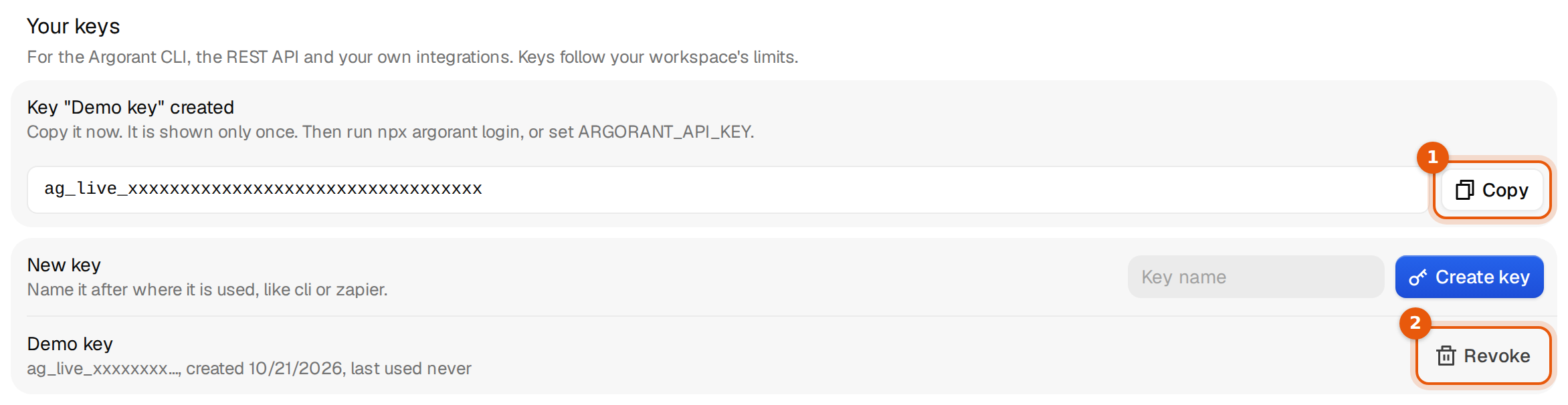
https:/AuthorizationBearer YOUR_API_KEY{"first_name": "Maya",GET https:/POST https:/POST https:/POST https:/Create your account, then follow the steps above. It takes a few minutes.
Full Make guide in the docsCustomer stories
What happened when these teams put the right contacts into their outreach.
24
Meetings booked in week one
“The appointments you're booking are crazy: Hugo Boss, AboutYou, Drykorn, Jack Wolfskin, all within a week.”
Christian Schmidt & Mike Klaßen
Co-Founders & Owners

16.81%
Reply rate across the campaign
“We've gotten 16.81% in replies after working with you guys. Can only recommend you.”

Jannik Linke
Founder & CEO
€759K
Pipeline generated
“Yesterday I got confirmation for a pilot - and it was the very first appointment.”

Armin L. Rau
Founder & Managing Director
Make + Argorant
Still have questions? Talk to us
Start your 7-day free trial.
“The appointments you're booking are crazy: Hugo Boss, AboutYou, Drykorn, Jack Wolfskin, all within a week.”
 Christian Schmidt & Mike Klaßen, Co-Founders & Owners, Boldbrands · Germany