
























24
Meetings booked in week one
“The appointments you're booking are crazy: Hugo Boss, AboutYou, Drykorn, Jack Wolfskin, all within a week.”

Christian Schmidt & Mike Klaßen
Co-Founders & Owners
Exporting, cleaning and importing lists costs hours, and one bad import fills your CRM with addresses that bounce. Connect HubSpot once and push any export: every email checked, no duplicates, every field in place.
7-day free trial. Cancel anytime.
Every push matches contacts by email, so a list you send twice updates what is there instead of adding a second copy.
Contacts land on standard HubSpot properties, so the lists and workflows you already run pick them up the moment they arrive.
Pushes come from Argorant exports, and every email in an export is checked when it is built. Your HubSpot never fills up with guesses.
The connection is OAuth: no API keys to paste into HubSpot, no CSV juggling. Connect once, push any export.
Full HubSpot guideCreate a free Argorant account and build a list of the people you want.
In Settings, Connected tools, click Connect HubSpot and approve access.
Export the list. Every email is checked when the file is built.
Under Send an export to a connected tool, click Push to HubSpot, confirm the number of contacts and watch it finish.
Published by Argorant
Argorant connects to HubSpot directly. For HubSpot, connect your account, map the fields, and try a few create, update, and duplicate cases. Salesforce has no direct connection: use a CSV import with only valid emails, or your own API workflow that updates records by an external ID.
Argorant pushes contacts to HubSpot directly.
Use a valid-only export and Salesforce Data Import Wizard with explicit mapping and duplicate rules.
Your own workflow can update Salesforce through its REST API using an external ID. Argorant has no direct Salesforce connection.
Argorant also connects directly to Pipedrive and Google Sheets.
Other CRMs work through a CSV export or the Argorant API.
Choose email plus company/domain rules and a stable external ID before any CRM write.
Connect a test account, map fields, and try create, update, and duplicate cases.
Use a CSV import with only valid emails, or your own API workflow.
Keep the CRM ID for each record and retry only temporary errors.
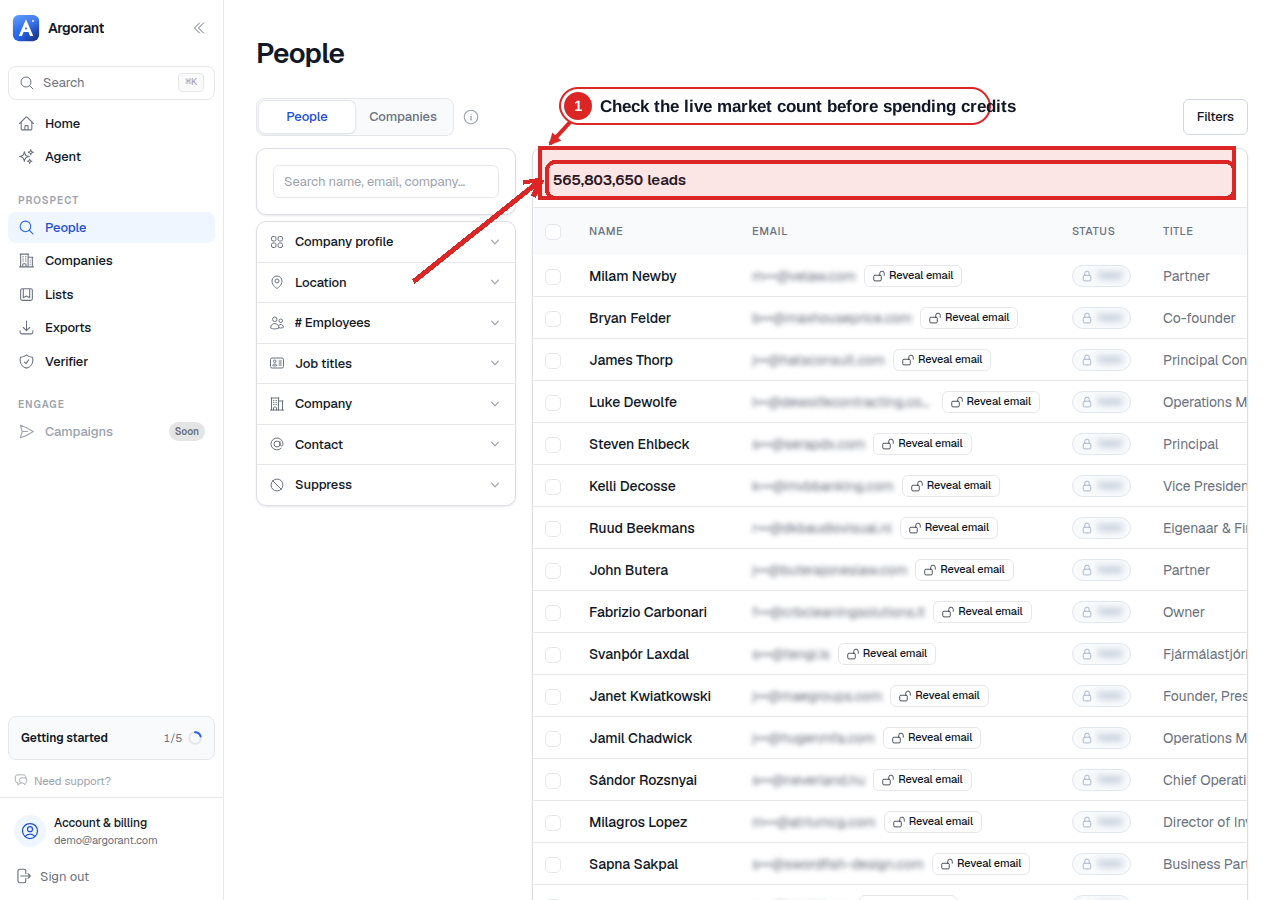
The matching count is visible before any contact is shown. Check it and a masked sample before you pay for an export or send contacts to another tool.
Customer stories
What happened when these teams put the right contacts into their outreach.
24
Meetings booked in week one
“The appointments you're booking are crazy: Hugo Boss, AboutYou, Drykorn, Jack Wolfskin, all within a week.”
Christian Schmidt & Mike Klaßen
Co-Founders & Owners

16.81%
Reply rate across the campaign
“We've gotten 16.81% in replies after working with you guys. Can only recommend you.”

Jannik Linke
Founder & CEO
€759K
Pipeline generated
“Yesterday I got confirmation for a pilot - and it was the very first appointment.”

Armin L. Rau
Founder & Managing Director
HubSpot + Argorant
Still have questions? Talk to us
Start your 7-day free trial.
“The appointments you're booking are crazy: Hugo Boss, AboutYou, Drykorn, Jack Wolfskin, all within a week.”
 Christian Schmidt & Mike Klaßen, Co-Founders & Owners, Boldbrands · Germany