

























24
Meetings booked in week one
“The appointments you're booking are crazy: Hugo Boss, AboutYou, Drykorn, Jack Wolfskin, all within a week.”

Christian Schmidt & Mike Klaßen
Co-Founders & Owners
One bad list can undo weeks of warm-up. Connect Smartlead and send any Argorant list straight into a campaign: every email checked, people who bounced or unsubscribed left out.
7-day free trial. Cancel anytime.
Name, company, location and LinkedIn arrive as lead fields and the job title as a custom field, so your Smartlead variables work from the first email.
The list is exported before the push, every email is checked, and people who bounced, unsubscribed or are on your blocklist are never sent.
The push works over the API too. When an export is ready, a webhook can start the push, and new checked people join the campaign on their own.
Smartlead connects with your own Smartlead API key. Argorant only sends the people you pick and never starts the campaign for you.
Create your account, then follow the steps above. It takes a few minutes.
Published by Argorant
Argorant connects to Smartlead directly. Build the segment, preview it, reveal or export only valid contacts, remove opt-outs, choose the exact Smartlead campaign, and push. Each contact is added once. Turning a campaign on does not fill it by itself: Argorant adds the leads when you push them and shows which were accepted.
Argorant pushes leads to Smartlead directly.
Only valid emails that are not opted out and not duplicates are sent to Smartlead.
You pick the campaign, so regional or offer-specific campaigns stay separate.
See which leads were accepted or rejected, and why.
Create a test campaign in Smartlead, check schedule and copy, and keep sending paused for the test.
Search and preview, then keep only valid emails, remove opt-outs, clean company and name fields, and skip people already in the campaign.
Push the batch through the direct connection and review every result.
Compare queue, attempted, accepted, duplicate, rejected, and campaign counts before enabling send.
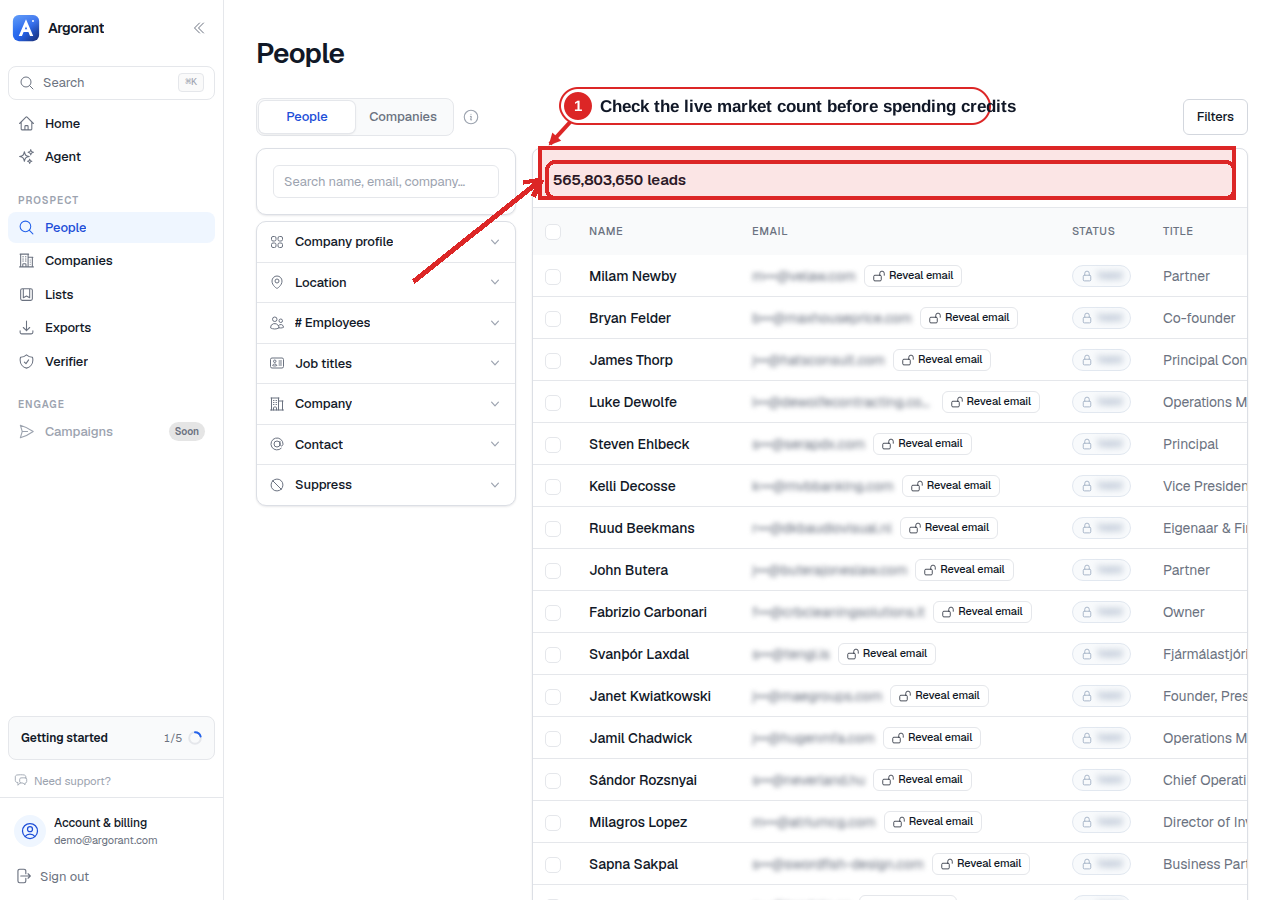
The matching count is visible before any contact is shown. Check it and a masked sample before you pay for an export or send contacts to another tool.
Customer stories
What happened when these teams put the right contacts into their outreach.
24
Meetings booked in week one
“The appointments you're booking are crazy: Hugo Boss, AboutYou, Drykorn, Jack Wolfskin, all within a week.”
Christian Schmidt & Mike Klaßen
Co-Founders & Owners

16.81%
Reply rate across the campaign
“We've gotten 16.81% in replies after working with you guys. Can only recommend you.”

Jannik Linke
Founder & CEO
€759K
Pipeline generated
“Yesterday I got confirmation for a pilot - and it was the very first appointment.”

Armin L. Rau
Founder & Managing Director
Smartlead + Argorant
Still have questions? Talk to us
Start your 7-day free trial.
“The appointments you're booking are crazy: Hugo Boss, AboutYou, Drykorn, Jack Wolfskin, all within a week.”
 Christian Schmidt & Mike Klaßen, Co-Founders & Owners, Boldbrands · Germany