
The gap between a good list and a good campaign is about forty minutes of unglamorous work: mapping columns, deduping, splitting the file, deciding what to leave out. Teams that skip it discover the consequences in week three, when the same person has received two sequences and the domain is throttled. This guide walks the whole handoff once, in the order you actually do it.
The assumption going in: you have a saved segment you can defend and a verified export sitting in Exports. If you do not, build that first, because nothing below fixes a list that was wrong at the source.
Step 1: Create the export at the right moment
Timing is the first decision and people get it backwards. Verification runs when the export is created, so the file reflects that moment. Export close to the day you send, not two weeks ahead while you are still writing copy.
- Open your saved list, or select rows directly from a search.
- Decide on catch-all and risky rows before you create the job. Exports default to valid only, and that default is the safe one.
- Decide on phone numbers. They are opt-in, cost 10 credits per number returned, and nothing at all when no number is found. For most outbound programmes they make sense on a shortlist of accounts, not across a whole segment.
- Create the job, then leave the page. Large exports process in the background and appear on the Exports page with their status.
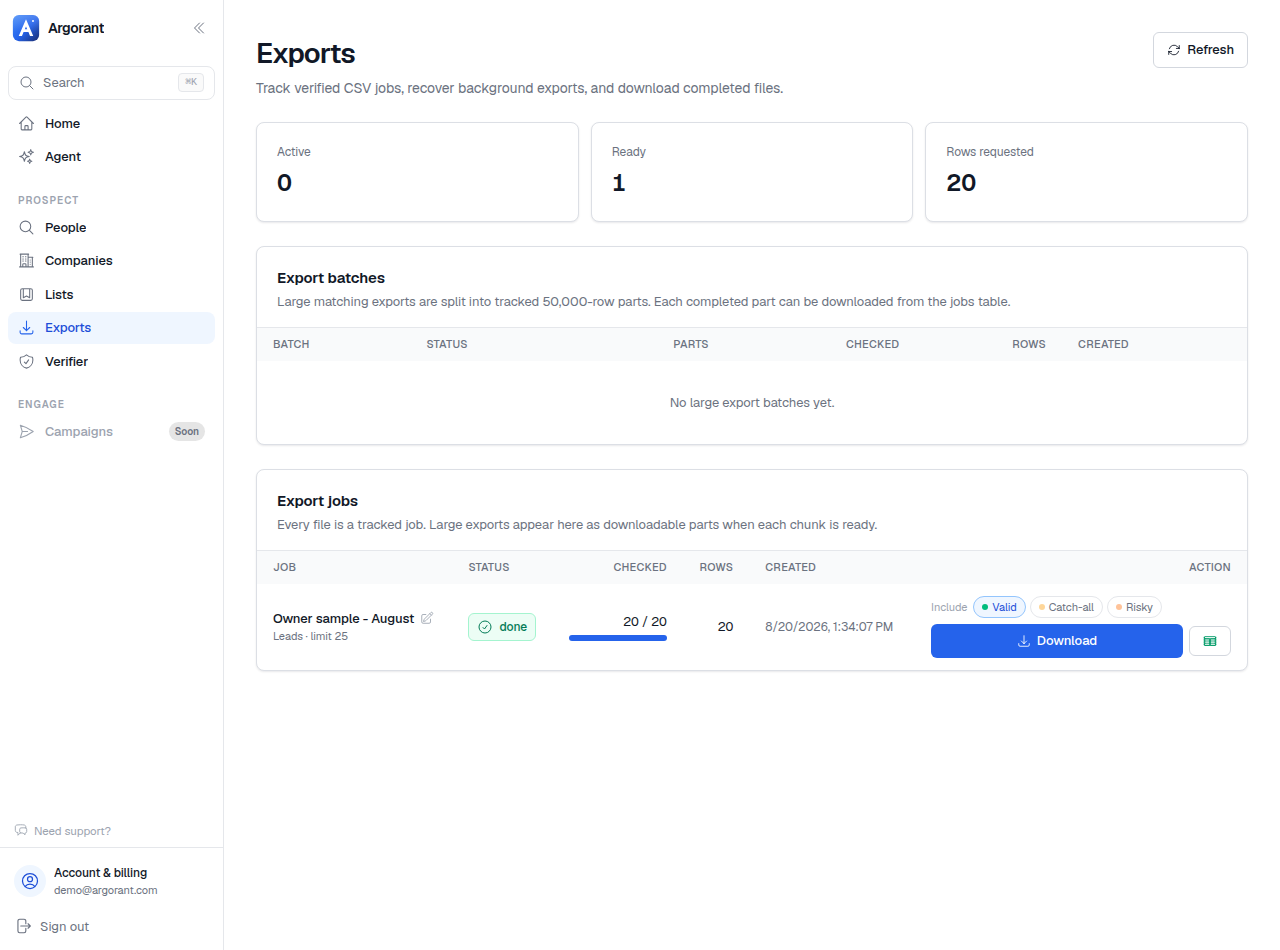
Branch: the file came back smaller than you selected. That is normal and it is in your favour. Three mechanics cause it: addresses that failed verification were filtered out and never billed, the valid-only default excluded catch-all and risky rows, and contacts this account already exported are skipped so a refresh returns only what is new. If you deliberately want previously exported rows back, there is an option for that.
Branch: the segment is above 50,000 rows. A single export job delivers up to 50,000 verified contacts. Above that the work fans out into a numbered multi-part batch, which is a Scale and Volume feature. On lower tiers the honest workaround is to slice the segment yourself by country or industry and run several single exports, which produces better organised files anyway and lets you verify each slice closer to the day you send it.
Step 2: Read the file before you import it
Open the CSV once in a spreadsheet. Not to edit it, to look at it. Thirty seconds here prevents the two most common import disasters: a mangled encoding that turns accented names into noise, and a mapping mistake that puts company names in the first-name field of every email you send.

What you get, column by column:
- Name, as a full name and as first and last where the tool needs both. First name is what most personalisation runs on.
- Job title. Personalisation fuel, and the field you will split the file on in step 5.
- Company and its domain. The domain is the more reliable of the two for matching, because company names are written six different ways.
- Work email, verified at the moment the export was created. This is your dedupe and suppression key, and the only field that should ever play that role.
- Location, including country. Drives send-time scheduling and the per-market split.
- Verification status per row, so catch-all and risky addresses are visible rather than silently mixed in.
- Phone and LinkedIn URL where present in the record and where you asked for them.
If accented characters render as noise, the fix is in your spreadsheet's import dialog rather than in the file. Importing the CSV directly into your sending tool usually sidesteps the issue entirely, which is a good argument for not opening it in a spreadsheet at all beyond the quick look.
Step 3: Dedupe and suppress before anything is uploaded
This is the step people postpone and regret. Do it on the file, on your own machine, before the sequencer ever sees it.
- Dedupe within the file on email address. A clean export should not need this, but if you concatenated two exports it absolutely does.
- Check against your master suppression file: everyone you have already contacted, everyone who ever unsubscribed, current customers, open opportunities, and anyone a colleague is already working. Unsubscribes must be honoured across every tool you send from, not just the one that recorded them.
- Check against your other running campaigns. Duplicates almost never come from a single search, they come from overlapping segments. A country list and a region shortcut that covers the same market will happily hand you the same people twice.
- Strip anything with a missing first name if your first line depends on it, or write a fallback. A campaign that opens with "Hi ," is worse than not sending.
The division of labour that keeps this sane long term: Argorant is where segments live, your sending tool is where suppression lives. Exports are point-in-time artefacts, and every one of them passes through the same suppression gate before it becomes a campaign.
Step 4: Map the columns
Argorant exports are shaped for sequencer imports, so in most tools the mapping is automatic and the whole step is a confirmation screen. Confirm it anyway.
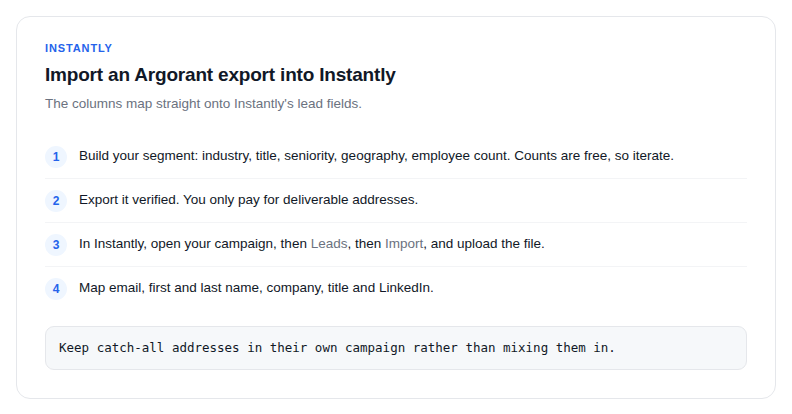
Instantly
- Open your campaign, go to Leads, then Import, and upload the file.
- Email, first and last name, company, title and LinkedIn map to Instantly's lead fields without renaming anything.
- Confirm the email column is mapped to email and not to a custom variable, which is the one mapping that silently breaks a campaign.
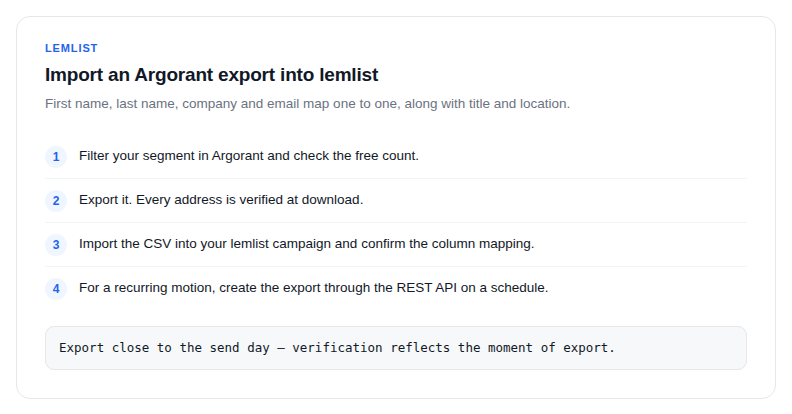
lemlist
- Import the CSV into your campaign.
- First name, last name, company and email map one to one, along with title and location.
- Check every sequence variable you use against the columns that exist. Variables with nothing behind them are visible before you send, and invisible after.
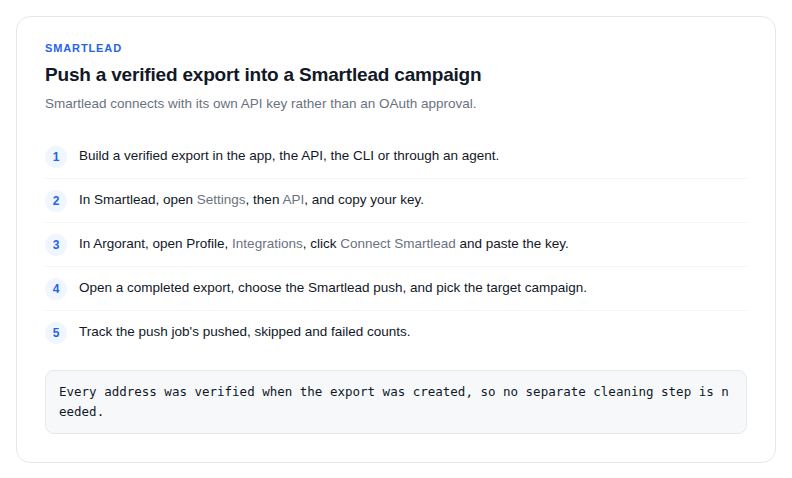
Smartlead
Smartlead is a native push destination, so there is no file to move at all. Connect it once under Profile, Integrations, with your Smartlead API key, then push a completed export straight into a campaign and watch the pushed, skipped and failed counts. Name, company, phone and LinkedIn come across alongside the address.
Any other tool
The generic mapping is always the same. Map email to the address field and make it the deduplication key. Map first name to whatever drives personalisation. Map company and title to custom variables if you reference them in copy. Map location to a field you can filter on for send windows. Ignore the rest until you need it. If the tool insists on a single name field, use the full name column; if it insists on two, use first and last.
Step 5: Split the file into sequences
One import is not one campaign. A file that spans two countries or three seniority levels should become several sequences, because the whole reason you filtered carefully was to be able to write specific copy.
- Split by market whenever language, regulation or send window differ. A DACH list and a UK list may share every other filter and still need different copy and different sending hours. Keeping them separate is also the only way reply rates stay comparable.
- Split by seniority or title when the same product means something different to each. What a director cares about is not what an owner cares about.
- Split by verification grade if you opted into catch-all or risky rows. Main sequences on valid addresses from your healthy domain, catch-alls in a separate campaign at lower volume on a separate domain if you have one, watched for the first few hundred sends. A bad catch-all batch then cannot damage the reputation carrying your main campaigns.
- Do not split by nothing. Three sequences with identical copy and different names is not segmentation, it is bookkeeping.
What does not belong in your first campaign
The first campaign against a new segment is a measurement, not a volume play. Leave these out of it.
- Catch-all and risky rows. Save them for a second campaign once you know the segment responds and the domain is healthy. In the first run they add uncertainty to a number you are trying to read.
- Your existing customers and open opportunities. Obvious, routinely forgotten, and the fastest way to get an internal escalation instead of a reply.
- Anyone a colleague is already talking to. Check the CRM, not your memory.
- Rows with missing personalisation fields that your copy depends on. Either fix the copy with a fallback or drop the rows.
- Generic role mailboxes that slipped in from another source. An Argorant export gives you people, but if you merged in a list from elsewhere, this is where it shows.
- The whole file, on day one. Send a few hundred, read the bounce rate and the reply rate, then scale. A list of 8,000 sent in week one is not a campaign, it is an experiment with no control and a domain at risk.
- A second segment, blended in. If the copy needs a caveat to be true for part of the file, that part is a different campaign.
The refresh loop, once it is running
A campaign is not a one-off import, it is a standing motion. The loop that works:
- Keep the saved list as the definition of the segment. It stores filters rather than a snapshot, so it tracks the market on its own.
- Check the count on a cadence. Counts do not deduct contact credits. Respect permissions, quotas and rate limits when monitoring a territory.
- Export a fresh slice at the start of each cycle. Contacts already exported are skipped by default, so what you get is the people who are new, not the ones already in a sequence.
- Run the same dedupe and suppression pass, every time, without exceptions.
- Import or push the slice, and let the sequencer's own dedupe act as the second net.
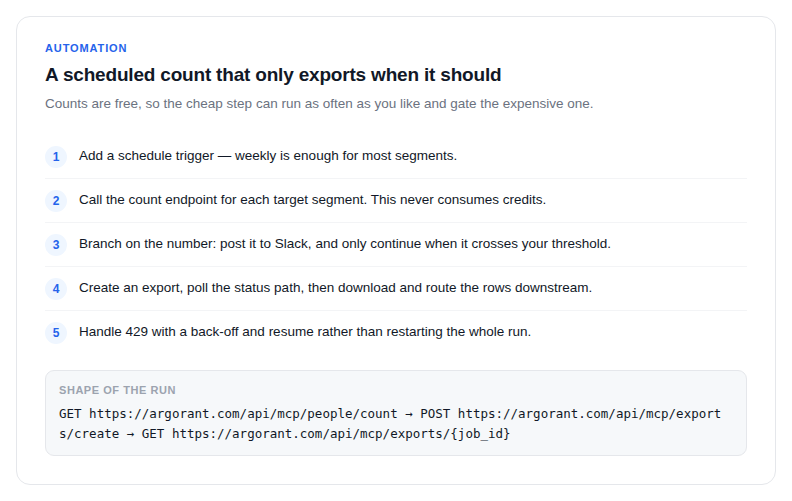
If you automate this, put every free step first. Counts, previews, company lookups, list status, export status and downloads all cost nothing, so a workflow that checks before it spends is both cheaper and easier to reason about. Make the row limit an explicit variable in the workflow rather than a default buried in a request body, handle a payment-required response by notifying a human with the link from the response instead of retrying, and back off rather than restarting on a rate limit. Anything already exported stays downloadable, so a failed run never costs you a finished job.
Two habits that separate a working motion from a mess
The first is that the list name never becomes a campaign name. Segments outlive campaigns, and a list called Q3 push is unreadable in January while UK - Accounting firms 1-50 - Owner still explains itself.
The second is that nobody ever sends from a spreadsheet of unknown age. If you cannot say what day a file was exported, do not import it, export it again. It is the cheapest insurance in the entire process, and the only bounce problem that is genuinely unfixable is the one you send before you notice it.
