
You built a tight segment, the preview reads exactly like your customer list, and the count is 1,400. Your sequencer needs 8,000 contacts a month. This is the most common real problem in prospecting, and it has a right answer and several wrong ones. The wrong ones all look the same from the inside: the count goes up, everybody is relieved, and reply rate quietly halves six weeks later.
This guide is about widening deliberately. Every step below is free to test, because counts and previews cost nothing on every tier, so the entire decision can be made on evidence rather than nerve.
First, check that you actually have a volume problem
Before widening anything, rule out the three cases where the segment is fine and something else is wrong.
- The exclusions are doing too much. Exclusions are subtractive and apply after your positive matches. Remove them, read the count, put back only the ones that visibly cut noise in the preview.
- The title string is too long. A full formal title matches almost nothing. Shorten it to a fragment or drop it entirely and let the seniority band carry the search. This one change often triples a count without loosening the target at all.
- The geography is deeper than it needs to be. If you are mailing rather than visiting, state level is usually enough and city level is usually costing you volume for precision you will never use.
If the count is still short after those three, you have a genuine volume problem and the rest of this guide applies.
How keyword matching behaves, from your side of the glass
The keyword filter matches what a company does rather than the category it was filed under. From your side, the practical thing to understand is that a keyword matches a company's own descriptive language, and companies in the same business describe themselves differently. A firm that does exactly what you sell to might call itself a dental laboratory, a dental technology lab, or a prosthetics lab. One keyword catches one third of your market.
This is why single-keyword searches feel disappointingly small. The fix is not a broader keyword, it is more keywords describing the same thing. Comma-separated keyword entries combine as any of these, so each synonym you add is additive: you are not loosening the filter, you are completing it.
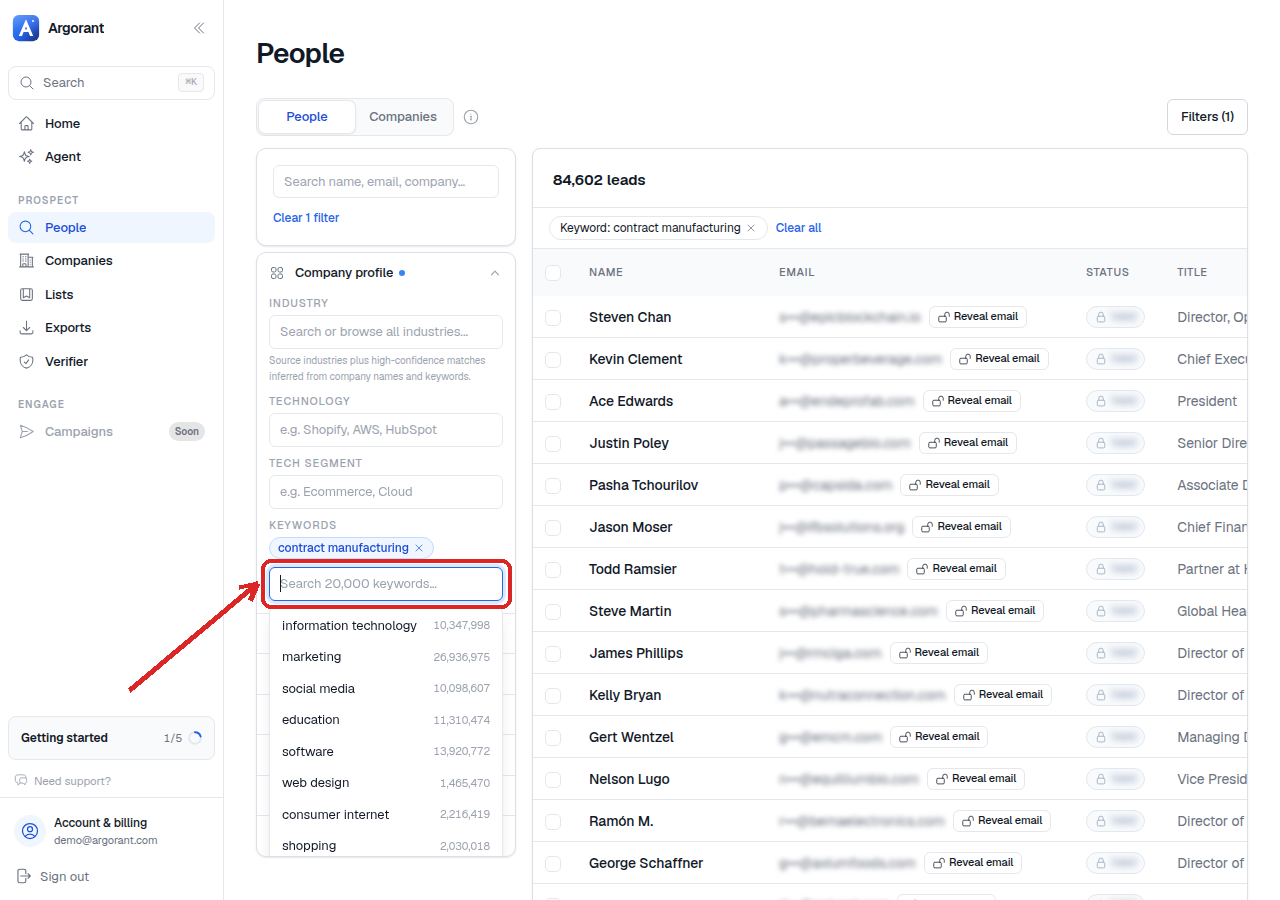
Building a synonym chain
Do this properly once per segment and reuse it forever.
- Write down what your five best customers call themselves. Not what you call them. Open their websites and read the first sentence of the About page. That sentence is the language the filter matches against.
- Add the trade terms. Every industry has an insider word and an outsider word for the same thing. Include both.
- Add the service-line variants. If you sell to firms that do payroll, the chain includes
payroll,payroll bureau,payroll servicesand the outsourcing phrasing, because the same firm might lead with any of them. - Add local-language terms for every non-English market in the geography filter. A German firm describes itself in German. This is the single largest source of missing volume in European segments and almost nobody does it.
- Read the count after each addition, so you know which terms carry weight and which are decoration.
A finished chain usually holds between five and twelve terms. Under five and you are seeing a fraction of your market. Over about fifteen and you have almost certainly drifted into terms that pull adjacent businesses you do not sell to, which is where the precision loss starts.
The terms to leave out
Two kinds of keyword inflate a count without adding a single real prospect. Generic quality words like innovative, leading or trusted select noise, because every company describes itself that way. And single very common words that appear inside longer phrases will pull whole unrelated markets in with them. If adding one term doubles the count, that is not a win, that is a warning. Look at the preview immediately.
The precision guard rail: keyword plus industry
The strongest shape in the product is one broad industry plus a precise keyword chain. The keyword finds the niche, the industry stops the keyword from wandering into unrelated markets that happen to use the same words. Widening the keyword chain while holding the industry constant is therefore nearly free in precision terms: the guard rail catches the drift.
Use the shape as a diagnostic too:
- Count is huge and the preview looks generic. The industry is doing all the work. Add keywords.
- Count is tiny and the preview looks oddly specific. The keyword is too narrow or too literal. Extend the chain or drop back to industry alone.
- Preview shows the right kind of company in the wrong market. Keep the keyword, add the industry as a boundary.
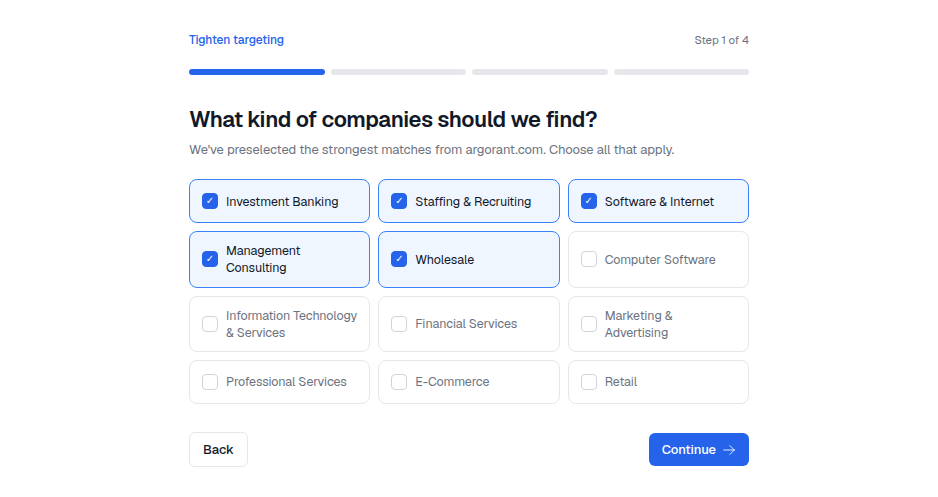
The widening ladder, cheapest precision first
When the keyword chain is complete and you still need volume, widen in this order. Each rung costs more precision than the one above it, so climb only as far as you must, and stop the moment the count is enough.
- Complete the keyword chain. Covered above. Costs almost nothing in precision, because you are catching companies you already wanted.
- Widen the size bands by one step in each direction. Cheap if your message survives it. Test by asking whether the first line of your email would still be true for a company one band larger.
- Ladder the seniority. If you targeted C-level, add VP and director. In larger organisations that layer holds the budget anyway and is far more reachable. This often adds more volume than any other single change, and it costs precision only if your offer genuinely requires the top of the house.
- Add adjacent industries. One at a time, reading the preview each time. See the section below.
- Add adjacent geography. A neighbouring market, or the region shortcut that contains the one you already have. Costs the most, because it usually implies new copy, new send windows and sometimes a new language.
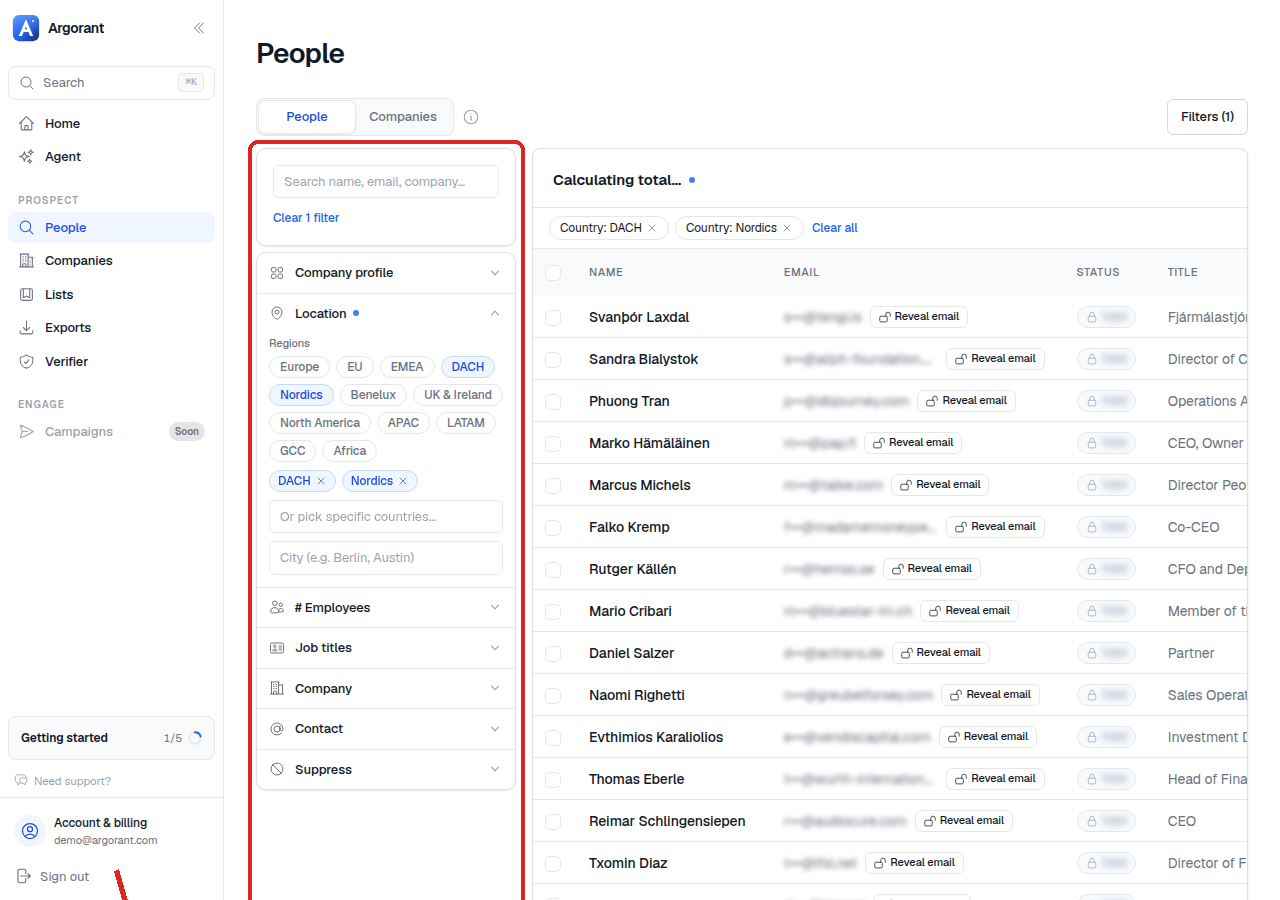
Adjacent industries, and how to test one honestly
Adding an adjacent industry is the rung where teams most often fool themselves, because industries are additive and the count reacts dramatically. Here is a test that keeps you honest.
- Add the adjacent industry on its own, with your existing keyword chain and size and seniority filters intact, and with your original industry temporarily removed.
- Read the count. That is what the new industry contributes.
- Scroll twenty preview rows of that industry alone. Ask the same question as always: would I send this person the email I already wrote?
- If the answer is yes for most rows, put your original industry back and keep both. If it is no, you have learned that the volume was never yours.
Testing an adjacent industry blended into the original one is where the self-deception happens: the preview shows a mixture, the good rows come from your real segment, and the new industry's rows never get looked at properly.
A useful sanity step before any of this is to run the question at company level rather than person level. Company search counts organisations rather than people, which makes it the honest denominator: it is not inflated by companies that happen to have many people in your target function.
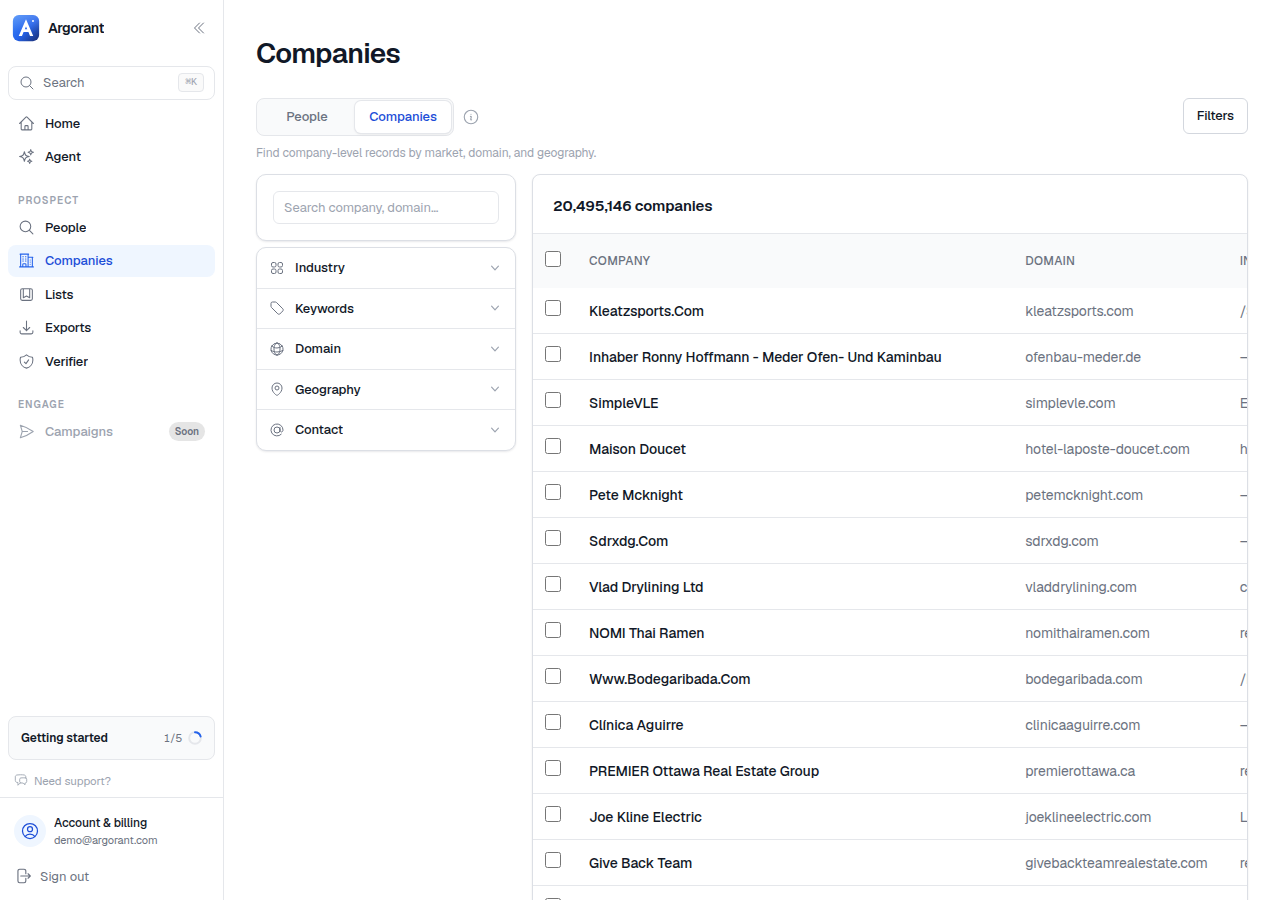
The maximize play
There is a legitimate version of going as wide as possible, and it is worth naming because it is different from carelessness. The maximize play is for the case where you need the largest defensible market rather than the tightest one: a market sizing exercise, a territory plan, a new-market entry decision, or a first campaign where you genuinely do not yet know which slice responds.
It works like this:
- Take the widest honest boundary. Usually one broad industry, or a region shortcut, or both. This is the outer wall and it does not move.
- Maximize the keyword chain inside it. Every synonym, every trade term, every local-language variant. Because the industry is the wall, extra keywords cannot escape into unrelated markets.
- Keep exactly one hard precision filter. Almost always seniority, sometimes size. This is what stops a maximized segment from becoming every employee at every company.
- Read the count per country rather than as one blended figure, so you know how the volume is distributed before you commit copy to it.
- Split the result into sendable lists before exporting. A maximized segment is a map, not a campaign. Slice it by size band or by market, and write copy per slice.
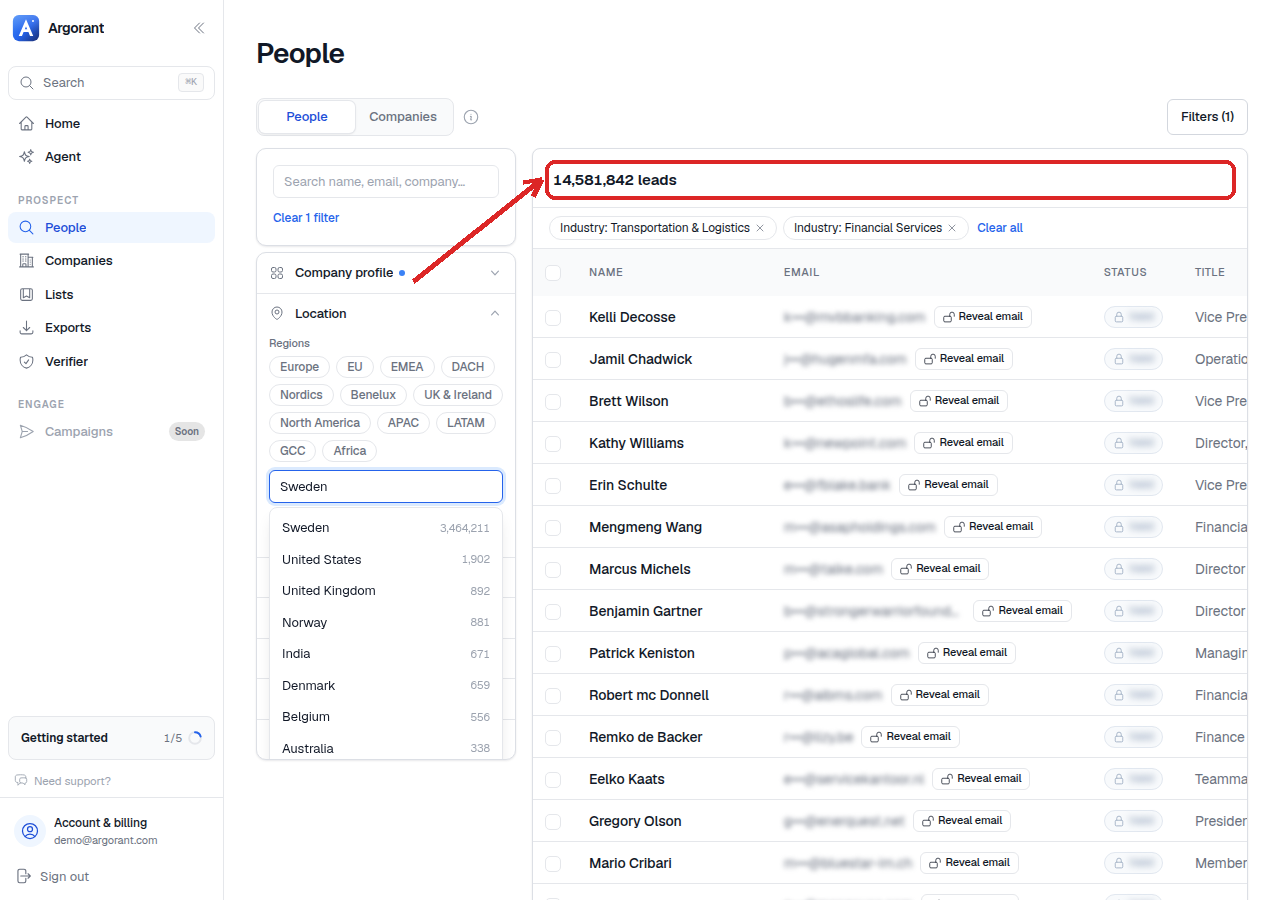
The discipline that makes this play safe is step five. Maximizing is a sizing and discovery technique. Mailing a maximized segment as one campaign with one message is exactly the failure this guide exists to prevent.
The four signals that widening has gone too far
Watch for these while you widen, not after you have sent.
- The preview stops being boring. A good segment preview is monotonous: twenty rows of roughly the same kind of company. When rows start being interesting and varied, you are looking at several markets pretending to be one.
- One change moves the count by more than it should. A keyword that doubles a count is pulling something you did not intend. Find out what before you keep it.
- Your first line stops being true. Read the opening sentence of your email and hold it against three preview rows from the newly added slice. If it needs a caveat, that slice is a separate campaign.
- You cannot name the segment any more. If the list name would have to be
Various B2B, the widening has eaten the definition. Names likeDACH - Manufacturing 200+ - CFOare possible because the segment is one thing.
When widening is the wrong answer entirely
Sometimes the honest conclusion is that the market is the size it is. A 1,400-person segment that converts is worth more than a 12,000-person segment that does not, and there are three better moves than diluting it.
- Run it harder rather than wider. More steps, better copy, longer follow-up on the same people.
- Build a second segment instead of stretching the first. Two focused lists with their own copy beat one wide one, and your credits go further because you are not paying to reveal contacts you would never mail properly.
- Go up the ladder deliberately. If you need a second segment anyway, pick the adjacent market you actually believe in and build it from scratch with its own keyword chain, rather than smearing it into the existing one.
All of the testing above is free, which means the only real cost of getting this right is attention. Save each variant as its own list so you can compare their sizes over time, and export from whichever one you are actually going to send this week.
