
Bounce rate is the number that decides whether your domain keeps landing in inboxes, and it is the one thing about a contact list you cannot fix after the fact. This guide covers both halves of the problem: what happens to our data when you export it, and what to do with a list that came from somewhere else. They work differently, they are billed differently, and confusing the two is the most common billing question we get.
The core idea: verification happens at export, not at collection
Most databases verify addresses when they collect them and hand you whatever was true months ago. Argorant does it the other way round. When you create an export, every address in it is checked at that moment, or served from a check made within the last 60 days. Addresses that cannot receive mail are removed from the file before you get it, and they cost you nothing.
Three consequences follow from that, and they explain almost everything else in this guide.
- Freshness is a property of your export, not of the record. The question is never how old the data is, it is when the file was created.
- Your export will usually be smaller than your count. That is the system working. The count is the matching universe, the file is the deliverable subset.
- You cannot know the exact cost before you run it, because the checks happen during the export. Budget from the selection size as an upper bound and expect the real number to come in below it.
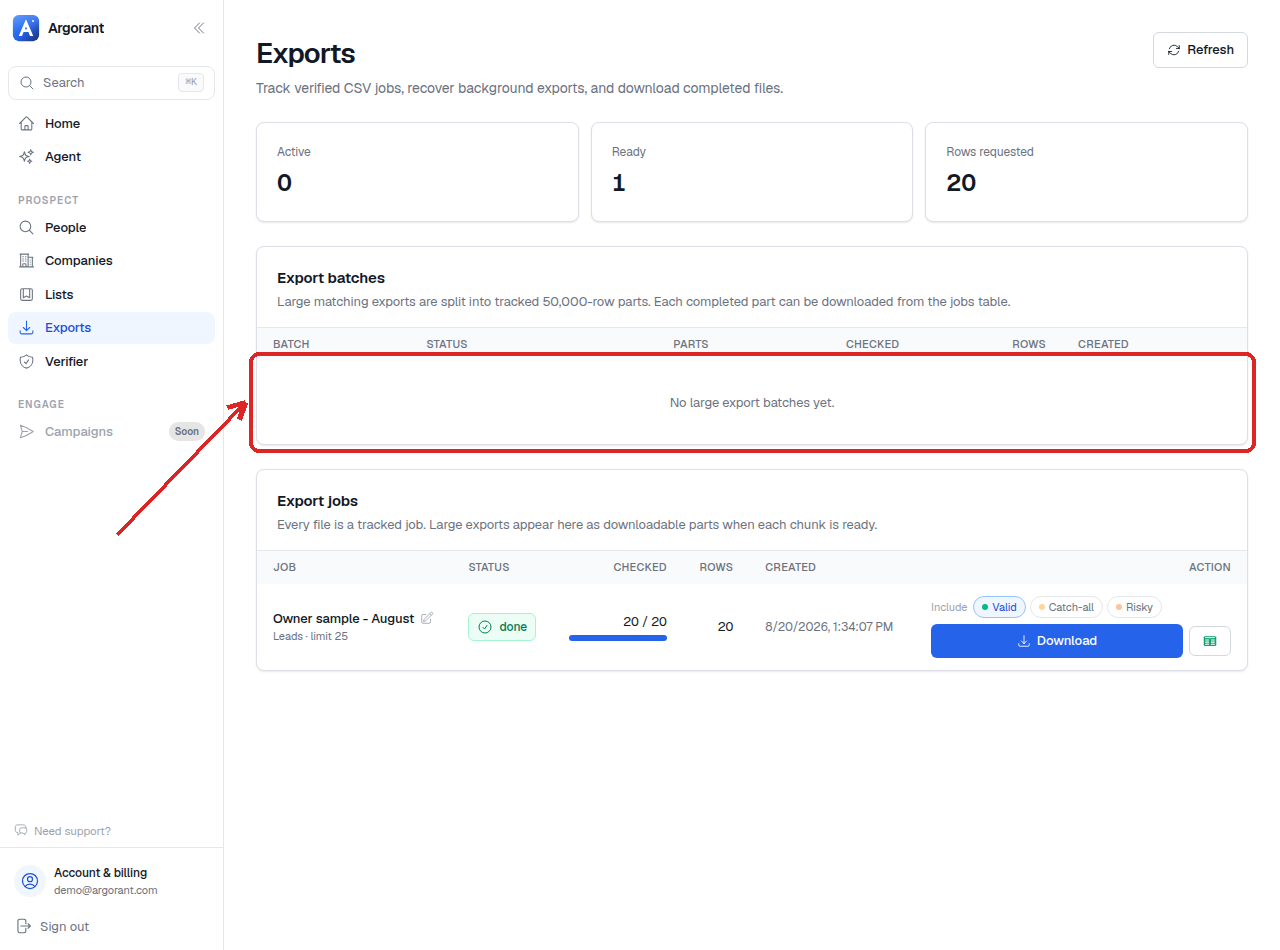
The grades, in plain terms
Every address gets a verdict. Four of them matter to you.
- Valid. The receiving server confirmed the mailbox. This is the default set, and on most segments it is the overwhelming majority of what you get.
- Catch-all. The domain accepts every address whether or not a mailbox exists behind it. That is a configuration choice by the receiving company, and it means no verification method anywhere can confirm the individual mailbox. Any vendor telling you otherwise is guessing. We label it instead.
- Risky. The check completed but the signals are mixed. Deliverable in principle, less certain than valid.
- Invalid or unverifiable. Filtered out before delivery, never in your file, never billed.
The billing rule is one line: one credit per deliverable contact in your file, zero for anything filtered out. Valid, catch-all and risky rows are all deliverable contacts and cost one credit each. Invalid and unverifiable rows cost nothing and are not silently replaced with guesses.
The default that protects you
Exports default to valid only. Catch-all and risky are an explicit opt-in at export time, which means you cannot accidentally load a file full of uncertain addresses into a warming domain. If your export came out smaller and cheaper than you expected, this default is usually the reason, and it worked in your favour.

The catch-all decision, made properly
This is a strategy choice, not a technical one, and both answers are defensible.
Include them when your target market is enterprise or a region where catch-all configuration is widespread. Excluding them entirely can remove a meaningful part of some segments, and if you sell upmarket you may be quietly deleting a third of your reach.
Leave them out when you are warming a new domain, when your sending reputation is already fragile, or when your provider is strict about bounce rates.
The strategy most teams settle on splits the difference:
- Run main sequences on valid addresses only, from a healthy sending domain.
- Put catch-alls in a separate campaign, on a separate sending domain if you have one.
- Send that campaign at lower volume and watch the bounce rate over the first few hundred sends.
- Scale it if the rate holds, pause it if it does not.
Separating them means a bad catch-all batch can never damage the reputation carrying your main campaigns. That is the entire point of the split.
What verification does not do for you
Verification at export removes the largest cause of bounces. It does not remove all of them, and six things stay your job.
- Authenticate your sending domain. SPF, DKIM and DMARC correct before volume goes up, not after.
- Warm new domains and mailboxes gradually. A perfect list sent from a cold domain still lands in spam.
- Decide deliberately on catch-alls rather than opting in because the count looked better.
- Export close to sending. A verified file that sat in a folder for two months is not a verified file any more.
- Suppress everyone you have already mailed and honour unsubscribes across every tool you send from.
- Keep daily volume per mailbox sane. Bounce rate is a share of sends, so pushing volume through too few mailboxes amplifies every problem you have.
The 60-day window, and what it means for a file on your disk
Verification results stay valid for 60 days, so an export either checks live or reuses a recent result. Both count as verified. What this does not do is keep your downloaded CSV current. The file reflects the day you downloaded it, people move, mailboxes close, and nothing warns you. Treat the download date as the file's expiry marker.
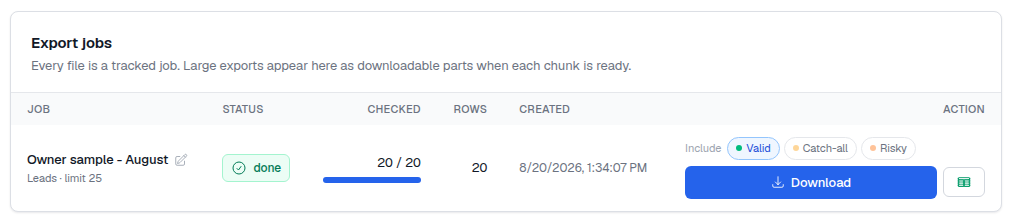
The rhythm that solves this permanently: keep a saved list per segment as the source of truth, and export a fresh slice at the start of each campaign. Saved lists store filters rather than snapshots, so a re-run reflects the market today. Re-downloading a past export from Exports is always free, because you already paid for that file. Creating a genuinely new export runs verification again and bills one credit per deliverable contact.
For a very large segment you will mail over several weeks, export in slices timed to your sending schedule rather than one enormous file. Each slice is then verified close to the moment it is actually sent.
The other half: verifying a list you already have
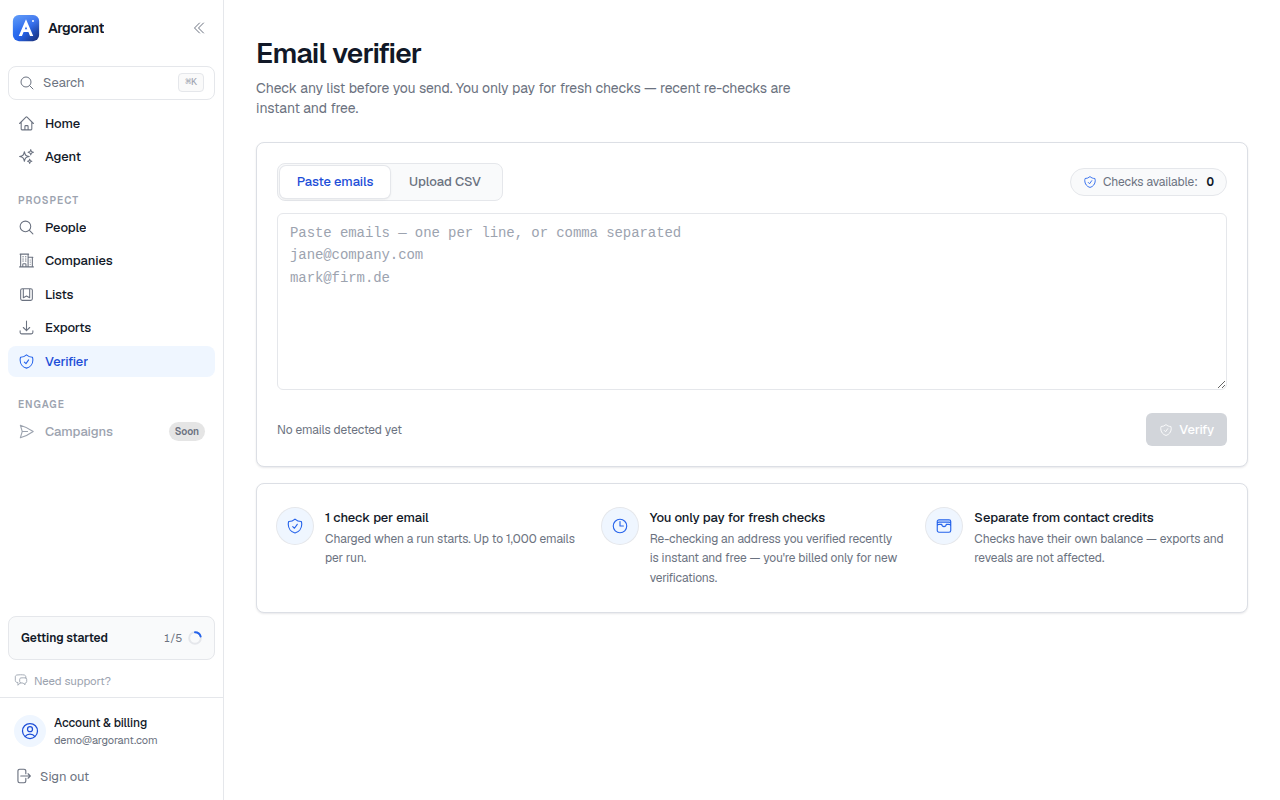
The Verifier at app.argorant.com/verify checks addresses you bring yourself: a CRM segment nobody has touched in a year, an inherited spreadsheet, a file from another source, addresses collected from a form. Contacts that came from an Argorant export do not need this step, because they were verified when the export was created.
The two pools, and why they are billed differently
One credit balance covers both, but the two are charged differently.
- Contact credits cover our data. One credit per deliverable contact you reveal or export. If the address fails, it is filtered out before delivery and costs nothing.
- Email checks cover your data. Half a credit per address you submit, charged regardless of the verdict.
The asymmetry is deliberate and it is the honest way round. When you buy contacts from us, what you are paying for is a deliverable address, so a failure is our problem and costs you zero. When you verify your own list, what you are paying for is the verdict itself. "This address is dead" is exactly the answer you wanted, and the work was done either way.
Since 2026-09-19 checks and contacts share one balance: a fresh check costs half a credit, recent re-checks are free, and a check balance from before then is spent first. Running out of credits pauses both reveals and list checks until you add credits or a plan.
The workflow, start to finish
- Open Verify.
- Paste a single address or a handful directly, or upload a CSV for a batch.
- Start the run. Larger batches process in the background, so you can leave the page.
- Download the results, with a verdict per row.
- Decide what to do with the catch-all rows before importing anything anywhere.
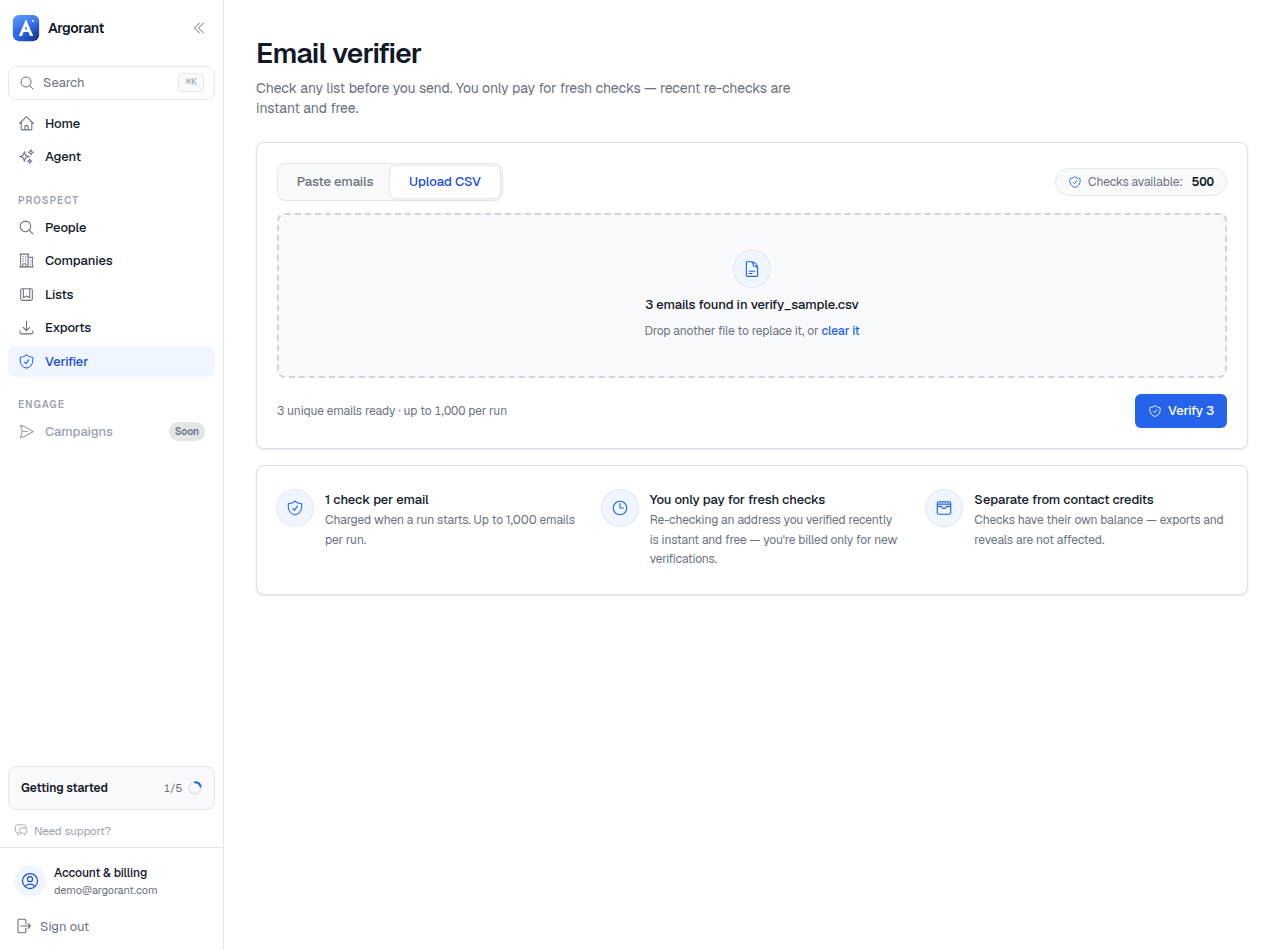
Within a run you are billed only for fresh checks. Addresses checked recently are answered from that existing result for free, and the summary reports how many were billed and how many came back free. Nothing is billed for a file that was rejected outright.
Preparing the file so the upload works first time
Most failed uploads are one of seven things, and all seven are fixable in a spreadsheet in under a minute.
- One address per row. Not several in one cell separated by semicolons or slashes.
- A clear header on the email column, such as
email, in the first row. - Save as UTF-8 CSV. Exports from older CRM tools sometimes use another encoding, which shows up as mangled characters.
- Commas as the separator. Spreadsheets in some locales default to semicolons, so check the save dialog.
- Trim whitespace and stray quotes. A single leading space makes a perfectly good address unusable.
- Remove obvious non-addresses: empty rows, placeholder text, notes that ended up in the email column.
- Dedupe first. The same address twice is the same verdict twice, and in a self-uploaded list you pay for both.

Branch: the upload was rejected
- "Only CSV and Excel files are supported." Re-export from your spreadsheet as CSV rather than renaming the file extension.
- "CSV has no headers" or "Could not parse CSV text." Almost always a preamble above the header row, which CRM exports love to add. Delete every line above the header.
- "Empty file." Usually a saved-but-not-populated export, or a filtered spreadsheet view that exported only the hidden rows.
- "File too large." Split by segment rather than compressing. Smaller files import faster everywhere downstream anyway.
- "No valid email addresses found in your list." The file parsed but no column held anything shaped like an address. Check that the email column is not stored as a formula, and that addresses were not truncated by a column width during a copy-paste.
Branch: the list is bigger than one run
The in-app verifier handles up to 1,000 addresses per run, and the message you will see is "Up to 1,000 emails per run - split larger lists." For anything bigger, use the CLI, which splits the file for you automatically:
npx argorant verify --file my-list.csv -o out.csv
It reads the file, extracts and deduplicates the addresses, sends them in chunks of 500, and writes a CSV with email,status,deliverable. If your email column has a different name, point at it with --column work_email. The summary line at the end reports how many were deliverable, how many checks were billed, and how many were free because a recent result already existed.
Through the API the same limits apply: the batch verify endpoint takes 500 addresses per call, so loop over batches rather than sending one enormous request, and back off on a rate limit instead of retrying immediately.
Branch: you ran out of checks mid-list
Running out mid-list is a credit problem like any other: add a pay-as-you-go pack from Profile, Billing, or move to a plan whose monthly pool covers your normal cleanup volume. If you find yourself buying packs every month on Starter, compare that spend against Pro, which includes 5,000 checks a month.
A cadence that keeps a database healthy
Re-verifying continuously is wasted money, because results stay valid for 60 days. The cadence that works is verification tied to sending, not to the calendar.
- Argorant segments: keep the saved list, export fresh at the start of each campaign. No separate verification step, ever. There is no reason to run an Argorant export through a verifier before importing it.
- Your own database: re-verify the slice you are about to mail, shortly before you mail it. Not the whole CRM, not every month.
- Forms and inbound: wire the verify endpoint into the form or the onboarding flow, so bad addresses never enter the database in the first place. This is the highest-leverage use of the API and the cheapest place to catch a typo.
- Inherited lists: verify once, immediately, before anyone gets excited about the row count. A list of unknown age is the most reliable way to lose a sending domain.
Do those four things alongside the six deliverability jobs listed earlier and your bounce rate stays comfortably inside provider limits, which is the whole objective. The next guide takes the verified file and walks it into a sequencer without breaking anything.
