
A campaign is only as good as the people in it. This lesson builds the list the rest of the track sends to. We will use one running example the whole way through, a staffing agency that places warehouse and production staff and wants to talk to the people who feel an empty shift first, operations managers at logistics companies.
Start from the person, not the company
Write one sentence before you open Search. "Operations and warehouse managers at US logistics companies with 50 to 1,000 employees." If you cannot write it in one sentence, you have two campaigns. The sentence maps onto filters almost word for word, and it is the sentence your first email will be written for.
Open Search and then People. The filters run down the left side. Each one narrows the count at the top of the results, and counting is free, so try things.
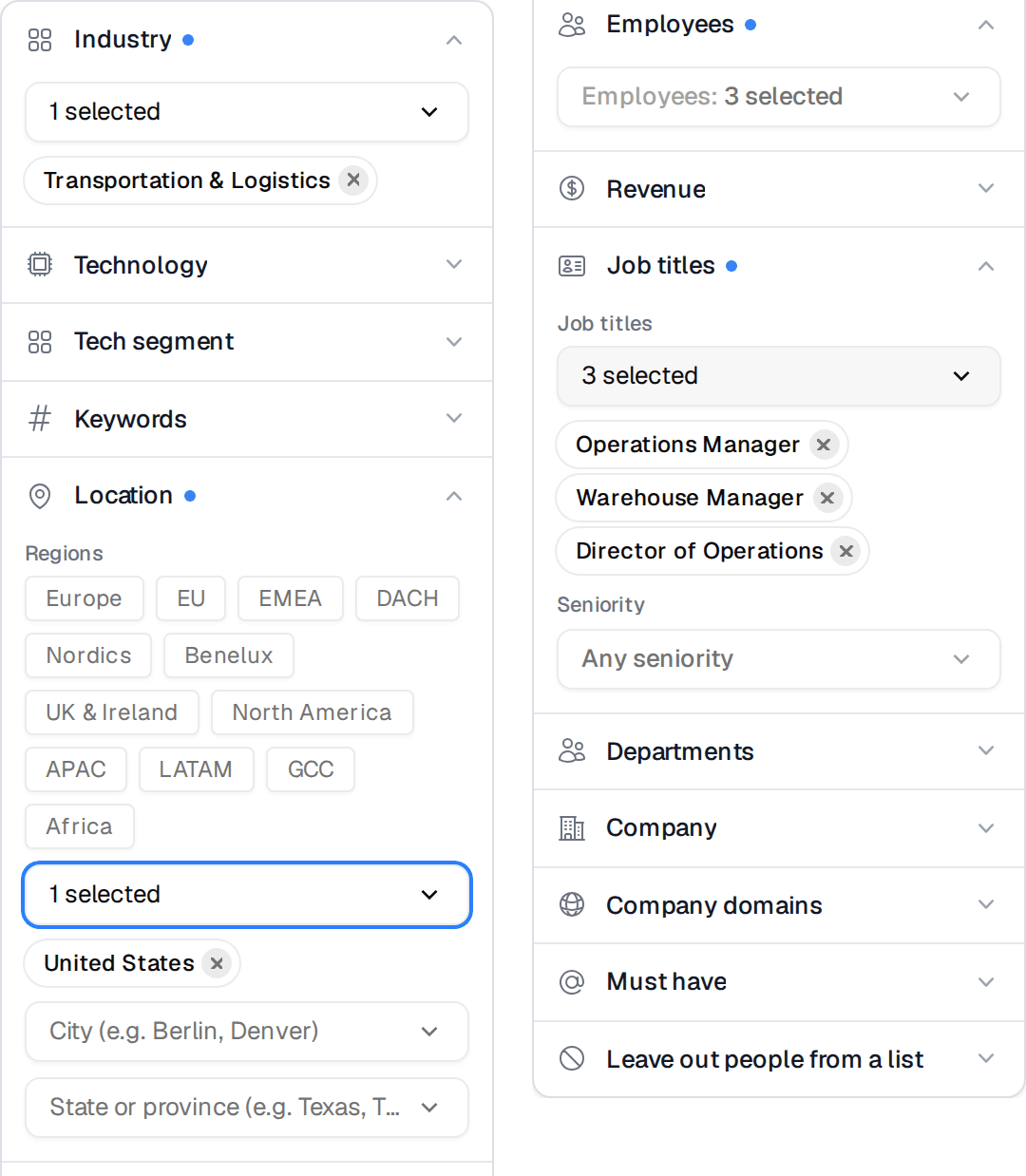
- Industry takes the company's industry. Type a word and pick from the list. For our example that is Transportation & Logistics.
- Job titles matches the title people actually use. Add the variants buyers really have, such as Operations Manager, Warehouse Manager, Director of Operations and Distribution Center Manager.
- Location is where the person sits. Start with one country, then narrow by state if your desks only cover some regions.
- Employees cuts out companies that are too small to need you and too big to buy from you.
- Company domains is the filter for lists you bring yourself. If you collected the websites of companies posting hourly jobs this week, paste them here and the search only returns people at those companies.
Job titles takes several titles at once, and you can paste a whole list. The Seniority field under it narrows further when titles are inconsistent. The help center has a page on each filter. The ones that matter most here are building a filter set and how title search treats abbreviations.
Read the count before you read the rows
The count tells you whether this is a campaign or a test. A few hundred people is a fine first campaign. Tens of thousands means the description is still too wide, and the email you write will be too general to get answers. Narrow until the number is one you would be comfortable sending to over the next few weeks, then stop narrowing.
Then scan the first page of rows. You are looking for titles that slipped in and do not belong, like a sales manager at a trucking company who matched "manager". Fix those with a narrower title or with an excluded title rather than by deleting rows by hand.
Keep people you already contacted out
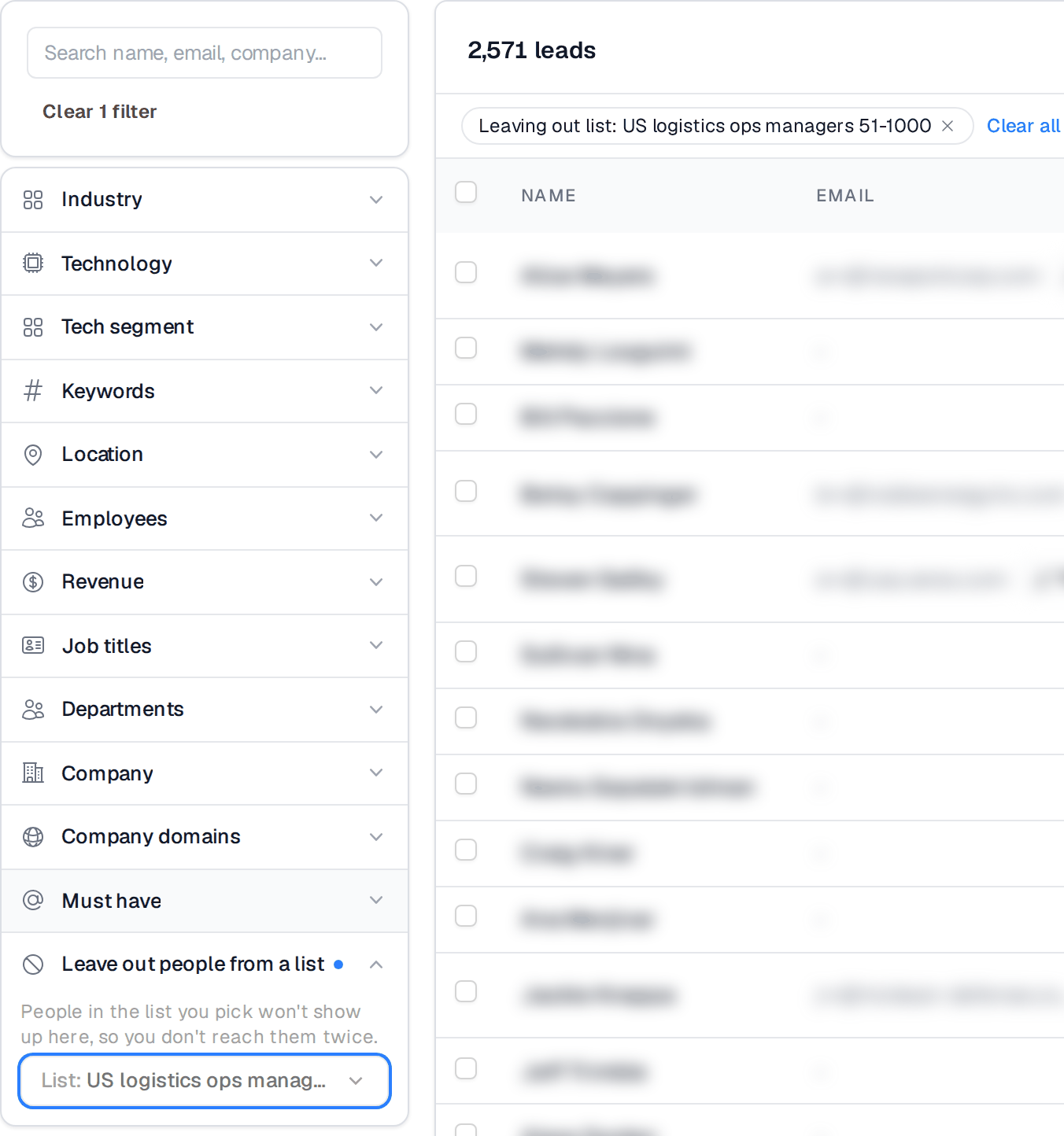
If you have run campaigns before, open Leave out people from a list and pick the lists you already sent to. The product says what it does in plain words. "People in the list you pick won't show up here, so you don't reach them twice."
Save it as a list
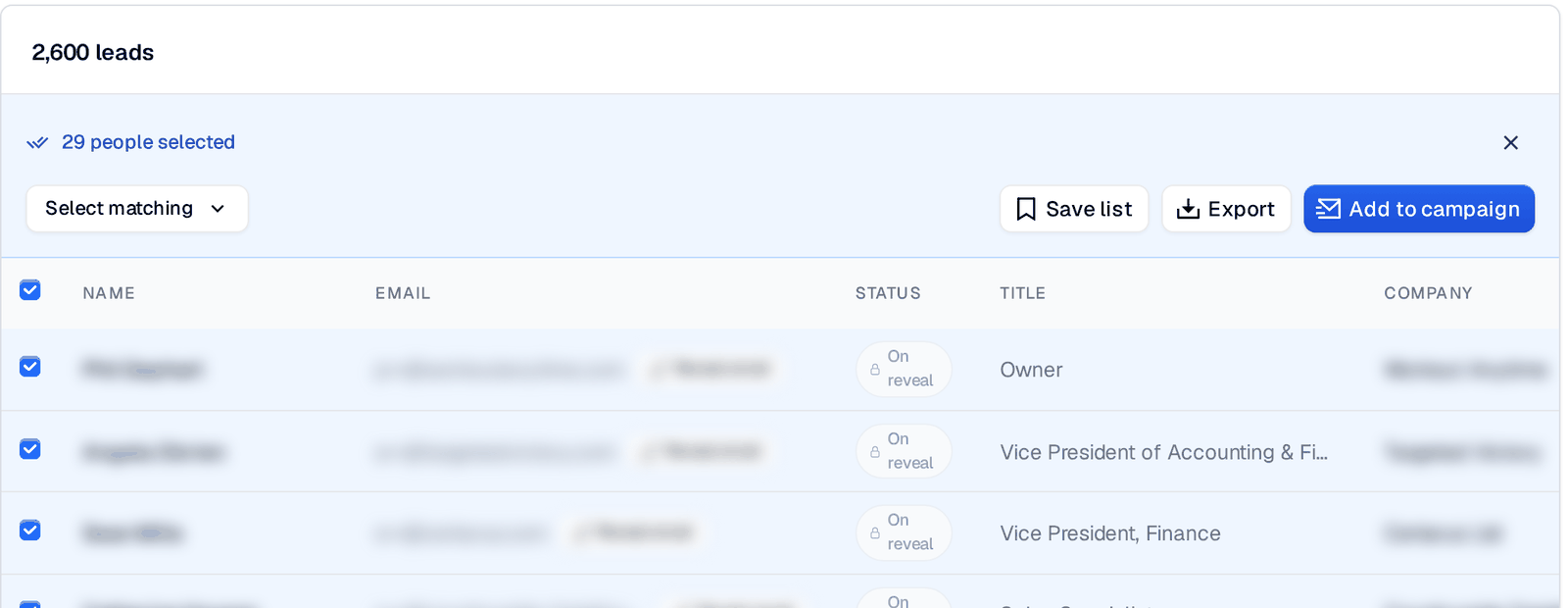
Tick the people you want, or use Select matching to take everyone the filters found. A bar appears with Save list, Export and Add to campaign.
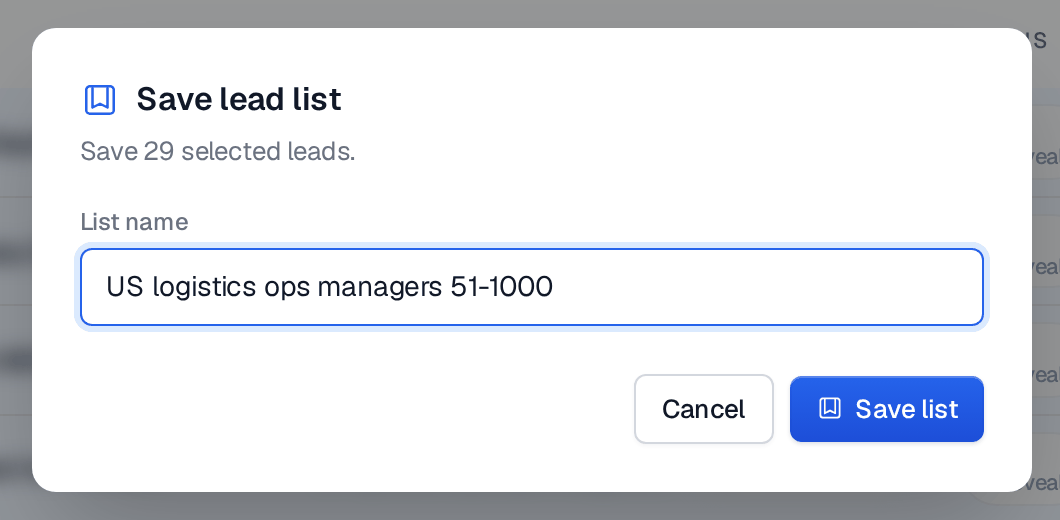
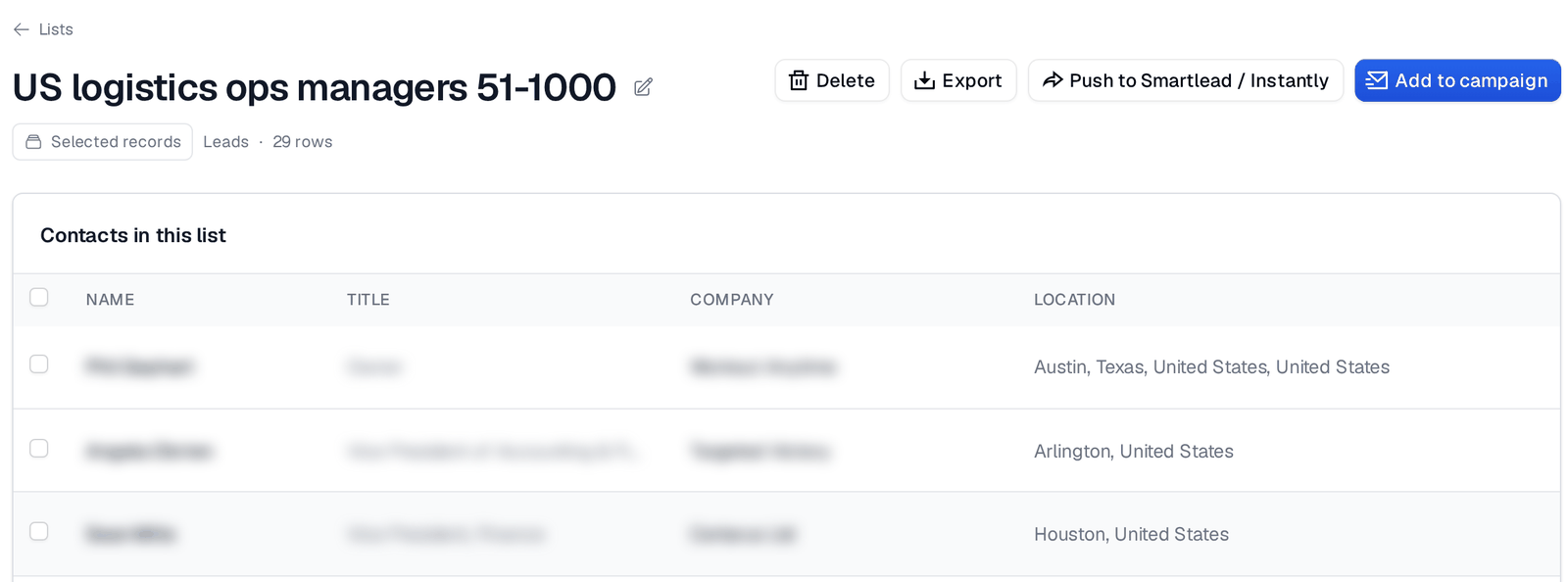
Press Save list. Name the list after the segment, not after the campaign, because the same segment will feed several campaigns over time. US logistics ops managers 50-1000 still makes sense in six months. October push does not.
A list page has the buttons you need for the next step, including Add to campaign. You can also skip the list and press Add to campaign from the search results directly. Both end in the same place.
Choose which email grades go in
Every address is checked before it is sent to, and each one gets a grade. When you attach a list to a campaign, you decide which grades are allowed in.
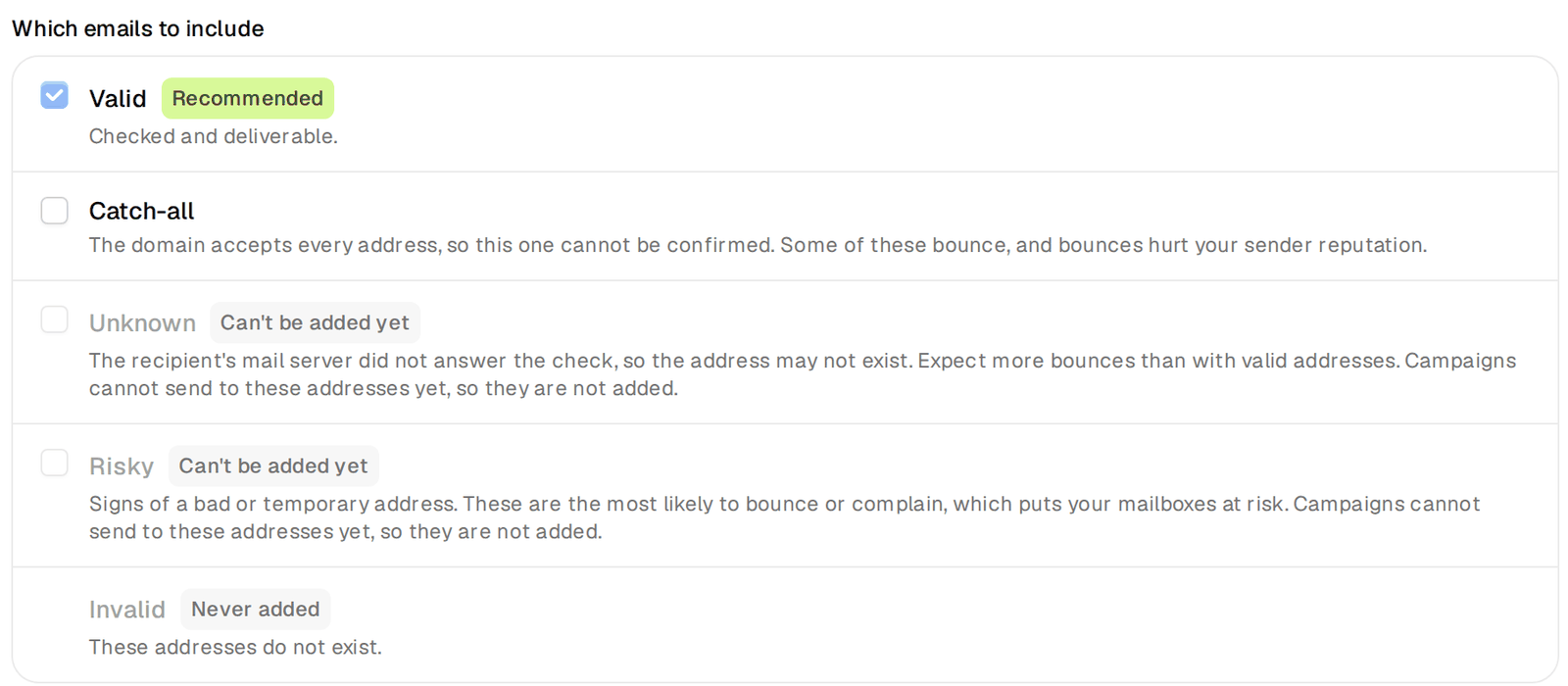
- Valid means checked and deliverable. It is ticked by default and it is the right default.
- Catch-all means the company's mail server accepts every address, so this one cannot be confirmed. Some of these bounce. Leave them out of your first campaign on a new segment and add them later, once you know the segment answers and your mailboxes are healthy. The help center explains when catch-all addresses are worth it.
- Unknown and Risky cannot be added. Invalid is never added.
Why this matters in numbers. On our own largest campaign, about 426,000 people contacted with valid-only addresses, 0.05% of the people we wrote to bounced. That is the number a clean list buys you, and it is what keeps the mailboxes in the next lesson healthy.
Before you move on
- The list is one segment you can describe in one sentence.
- Earlier campaigns are left out with the list filter.
- The list name describes the segment.
- Your first campaign takes Valid only.
Next, the mailboxes the campaign will send from.
