
Campaigns in Argorant send from real mailboxes, one person's address at a time, rotating across every mailbox you attach. This lesson gets those mailboxes connected and sets limits that keep them out of spam folders.
Never send cold email from your main domain
Your company domain carries your invoices, your support replies and your sales team's live deals. Cold email puts some reputation at risk, so it goes out from separate domains that look like yours, for example a short variation of your brand name. If one of them gets tired, you retire it and your real domain never notices.
Two ways to get mailboxes
Open Outreach and then Inboxes. With no mailboxes yet, you see the choices side by side.
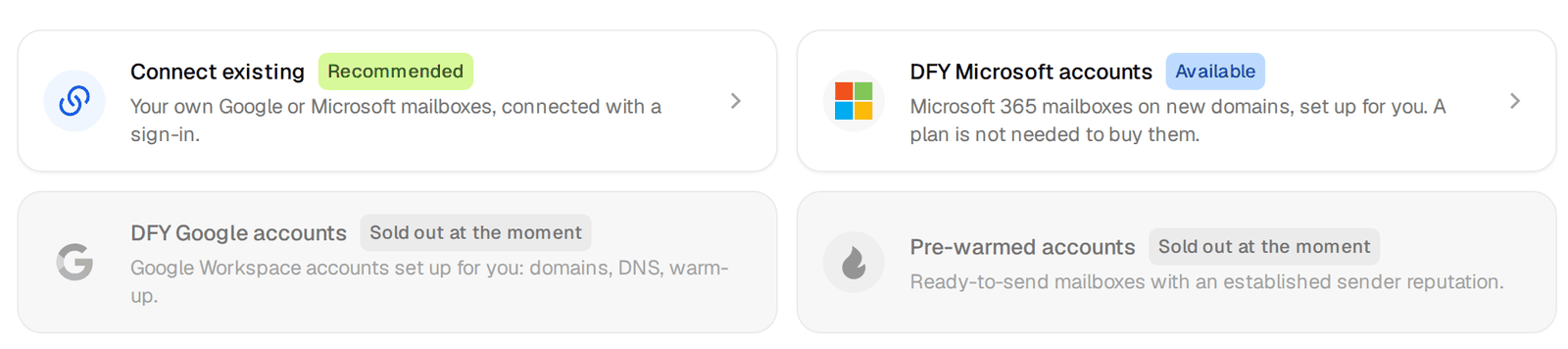
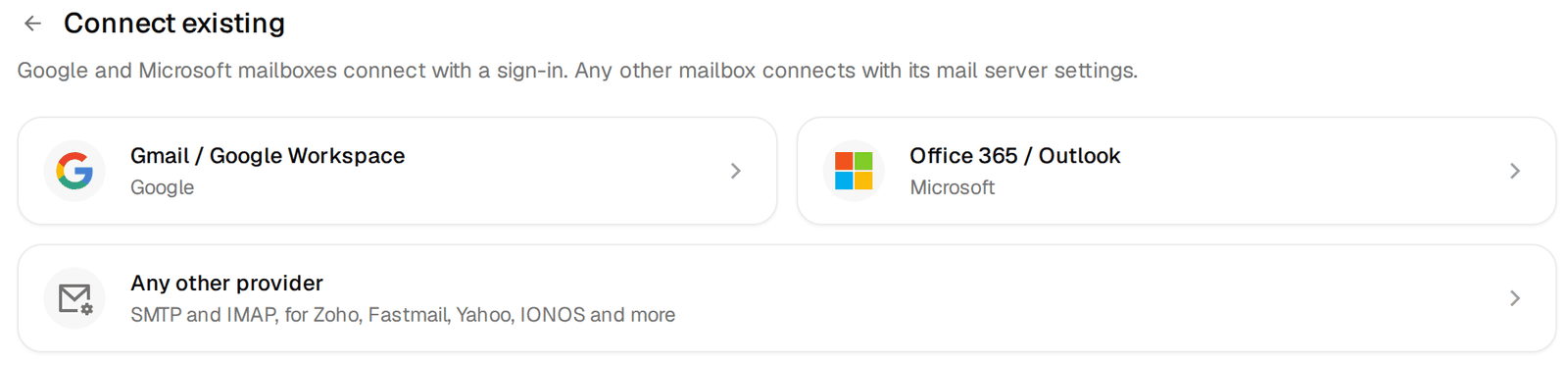
Connect existing is for mailboxes you already own. Pick the provider and follow the steps on screen.
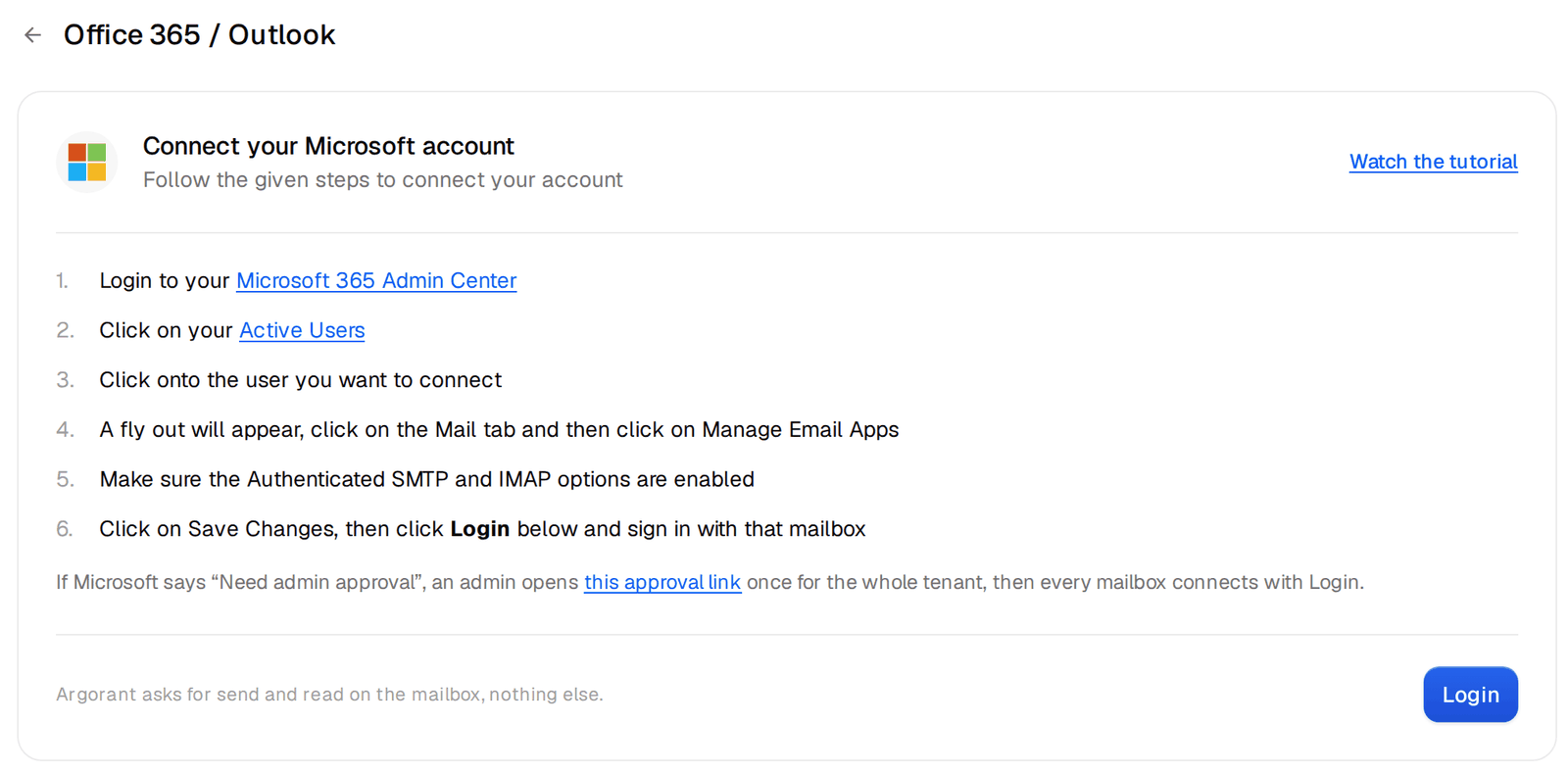
- Office 365 / Outlook shows six short steps. You switch on authenticated SMTP and IMAP for the mailbox in the Microsoft 365 admin center, then press Login and sign in with that mailbox. Argorant asks for send and read access on the mailbox and nothing else. If Microsoft says "Need admin approval", an admin opens the approval link on the same screen once, and after that every mailbox in your company connects with a normal login.
- Gmail / Google Workspace is authorised once by your Workspace admin, then every mailbox can send. If the screen says Google Workspace connections are not switched on yet for your account, write to support.
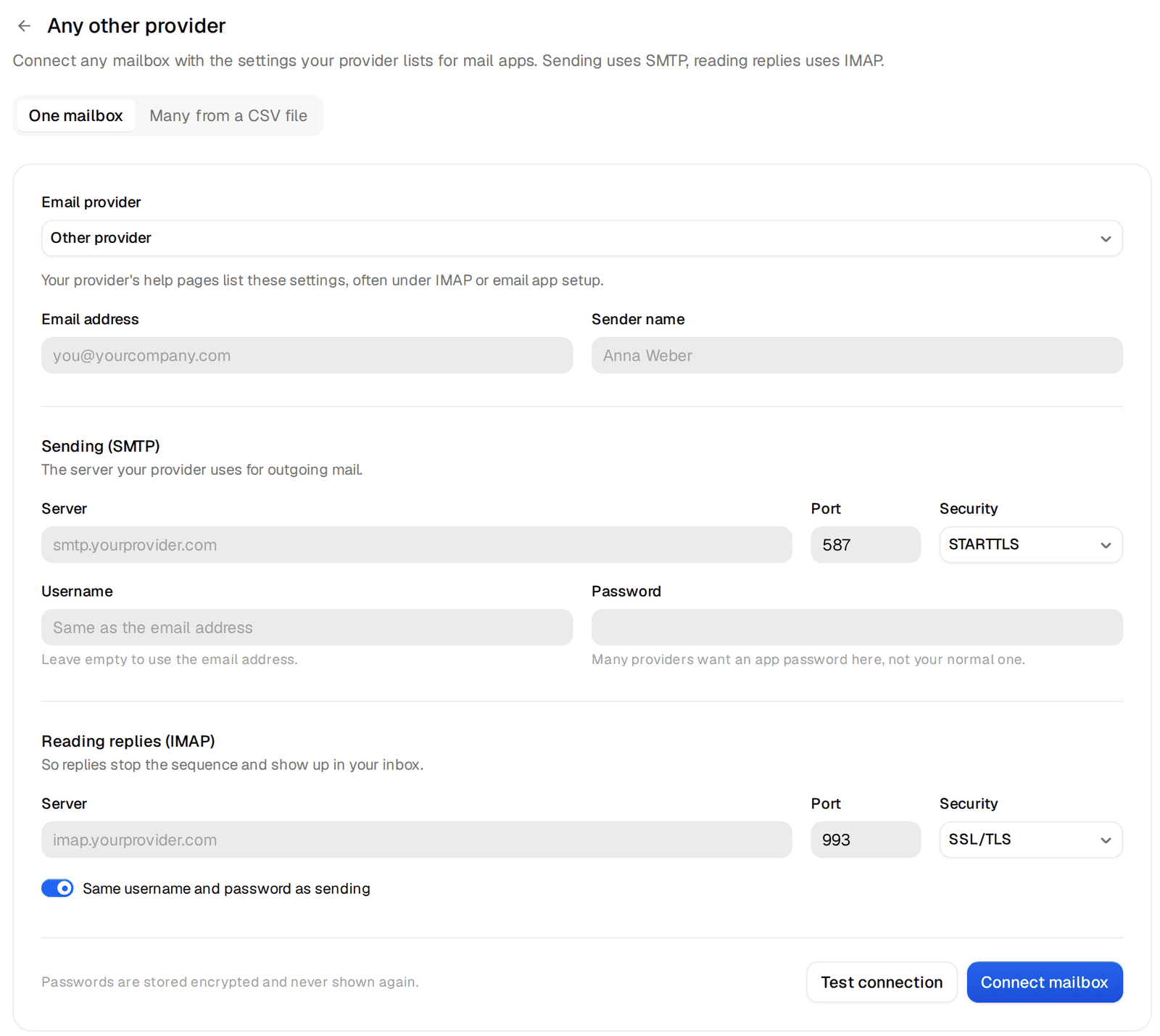
- Any other provider covers Zoho, Fastmail, Yahoo, IONOS and the rest. It takes the SMTP settings for sending and the IMAP settings for reading replies, which your provider lists in its help pages. Press Test connection before Connect mailbox. You can also connect many at once from a CSV file.
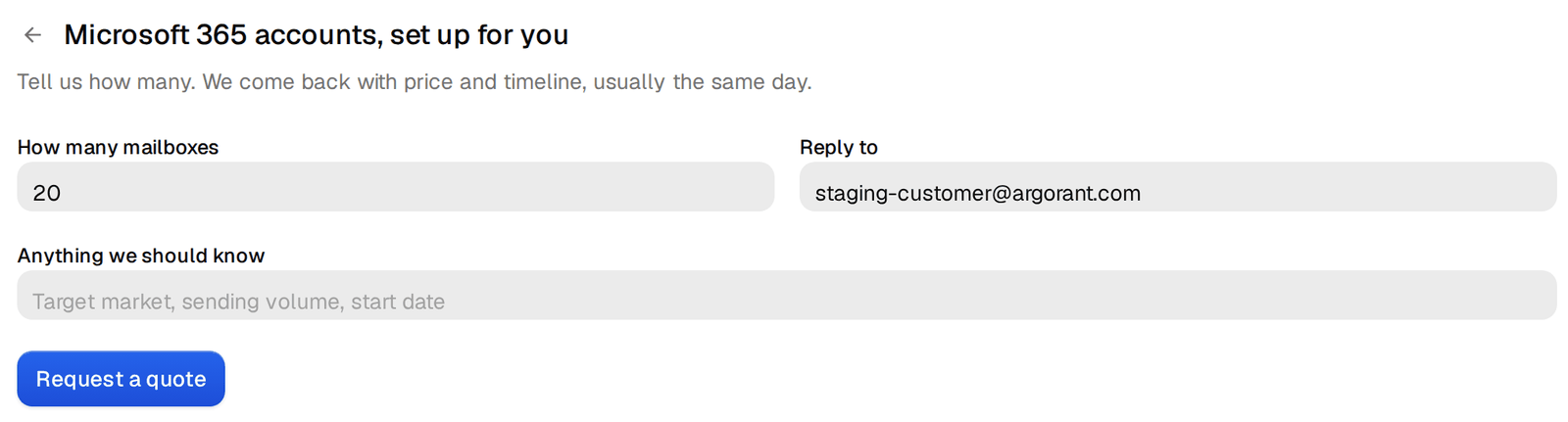
DFY Microsoft accounts are Microsoft 365 mailboxes on new domains that we set up for you, and you do not need a plan to buy them. Tell us how many you need and anything we should know, such as your target market and when you want to start. We come back with price and timeline, usually the same day. When the mailboxes are ready they appear in your list, and new mailboxes wait at least 24 hours before they send anything.
Set a daily limit you can defend
Every mailbox has its own limit for cold emails per day. A campaign never pushes a mailbox past it, no matter how many people are waiting. Here is what we do on our own sending, as a reference point rather than a rule. Our Microsoft mailboxes are set to 5 cold emails a day each, and on a normal day the typical mailbox sends 2. We get volume from more mailboxes, not from louder ones.
Low numbers per mailbox look slow until you do the math, which is the next section. They are also what keeps reply rates up, because a mailbox that sends little looks like a person.
Warm-up
Warm-up sends a small number of emails between mailboxes and replies to them, so a new address builds a history before it sends cold email. In Argorant it is included and it starts switched off. You switch it on per mailbox and choose how many warm-up emails a day it sends, between 1 and 10.
Turn it on for brand new mailboxes and leave it on for a couple of weeks before real volume. Mailboxes that already have months of normal use need it less. Whatever you choose, the cold daily limit and the warm-up limit are separate numbers.
How many mailboxes a campaign needs
The math has three inputs. How many new people you want to start each week, how many emails each person gets, and how many cold emails one mailbox sends a day.
new people per week     200      (40 per weekday)
emails per person        3      (first email and two follow-ups)
emails per weekday     ~120     (40 x 3, once the follow-ups overlap)
per mailbox per day      5
mailboxes needed        24
Fewer emails per person or more days between steps lowers the daily need. People who reply drop out of the sequence, which lowers it a little more. Start with the number the math gives you and do not borrow volume by raising per-mailbox limits.
Before you move on
- Mailboxes are on separate sending domains, never your main one.
- Each mailbox has a cold limit you chose on purpose.
- New mailboxes have warm-up on and have waited out their first day.
- You know how many mailboxes your weekly target needs.
The help center has the details on connecting any mailbox with SMTP and IMAP, daily sending limits and warm-up settings.
