
Credits are how you pay for contacts in Argorant. The rule of thumb is short. Looking is free, taking costs a credit, and you never pay for an address that does not work.
What is free
Searching, counting and the previews with hidden emails cost nothing, in the app and in your AI app alike. Saving lists, building campaigns and reading replies cost nothing either. Free does not mean unlimited. During the trial and on pay as you go, searches have daily limits, and every account has a speed limit.
What costs credits
- Revealing one contact's email costs 1 credit.
- In an export, each delivered Valid, Catch-all or Risky email costs 1 credit. Invalid and unknown addresses are not charged.
- A phone number costs 10 credits, and only when one is found. Phone numbers need the Pro plan or higher.
- Checking addresses you already have in the Email verifier costs half a credit each, so 1 credit checks 2 emails. One single email rounds up to 1 credit.
Campaign emails are not paid with credits. Each plan includes a number of campaign emails per month.
Where to see your balance
Open Settings and choose Plans and usage.
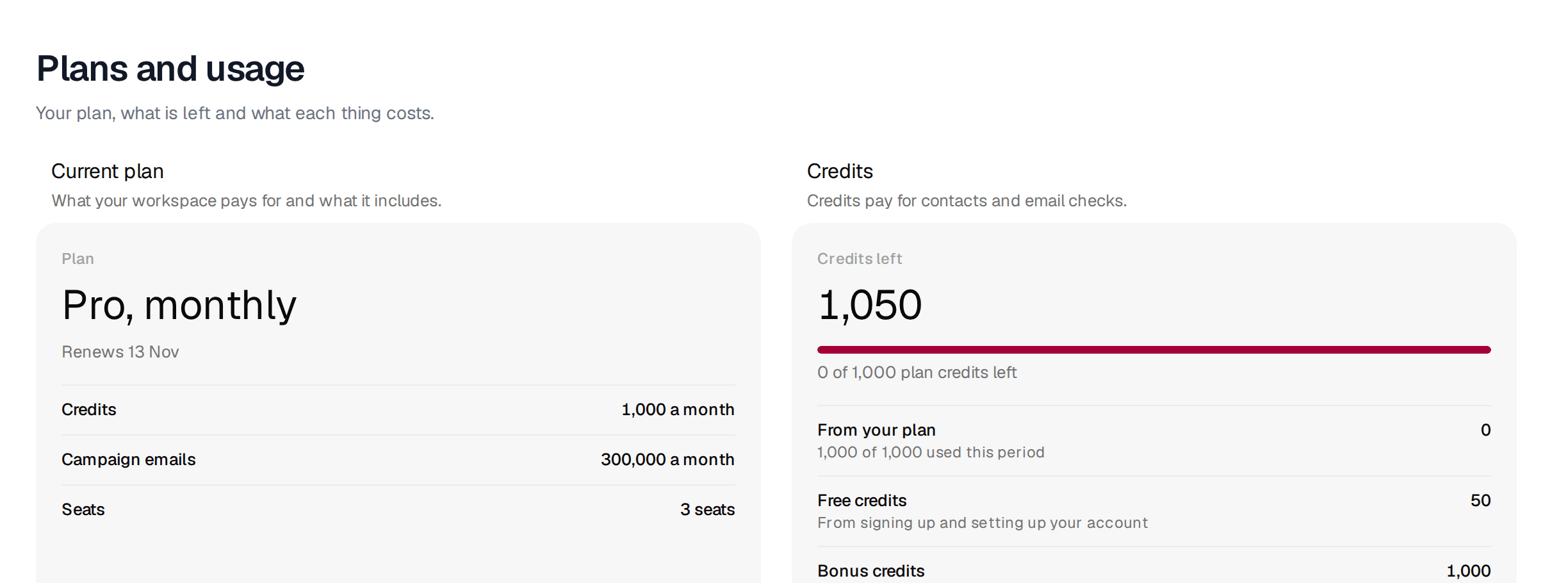
Credits left is the number that counts. Below it you see where the credits came from, such as your plan, free credits from signing up and setting up your account, and bonus credits. Which credits get spent first explains the order.
Plan or pay as you go
New accounts get a 7-day trial after email confirmation: 100 credits and 300 campaign emails, no card and no automatic subscription; when it ends, campaigns pause and unused trial credits expire until a plan or pay-as-you-go credits are added. The app, REST API, CLI and MCP share the same account and balance; connecting another client or creating an API key does not add a second grant. Existing balances and subscriptions are unchanged.
After that you choose between two ways to pay.
A plan gives you credits and campaign emails every month. Starter $99 a month for 5,000 credits and 100,000 campaign emails (1 seat); Pro $249 for 25,000 credits and 300,000 emails (3 seats); Scale $449 for 100,000 credits and 600,000 emails (10 seats); Hyperscale $649 for 200,000 credits and 1,000,000 emails (20 seats). Annual billing is about 20% less. Credits and campaign emails reset every month; warm-up never counts against the allowance.
Pay as you go has no subscription. Pay as you go with the same account in the app and AI clients: 500 credits for $17.50, 5,000 for $69, 25,000 for $199, 100,000 for $499. Packs do not renew and stay valid for 365 days. One credit is one validated contact; checking an address you already own costs half a credit. Campaigns need a plan.
If you send campaigns or export every month, a plan is cheaper per credit. If you need contacts once in a while, or you let an AI buy them for you, pay as you go is simpler. Plans vs. pay as you go compares them side by side, and which plan fits helps you choose.
No surprises on large exports
- Before you export, look at the size of the list. That is the most you can pay for emails.
- Use Rows to export to take a smaller first batch.
- Keep Skip contacts previously exported by this account ticked.
- Leave phone numbers off unless you will call.
When credits run out, searching and your saved work keep working. Only reveals and new exports wait until you add credits. What still works when credits run out has the full list. Invoices and receipts are under Billing in Settings.
