
After a week of sending, the numbers start to mean something. This lesson explains where they are, what they count, and what to do about each one.
Where the numbers are
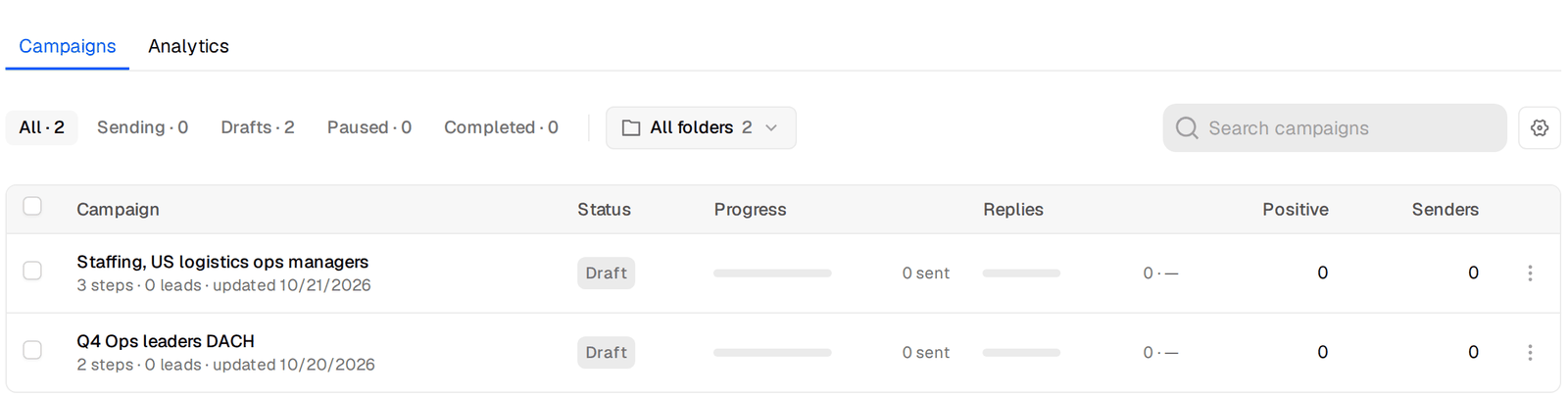
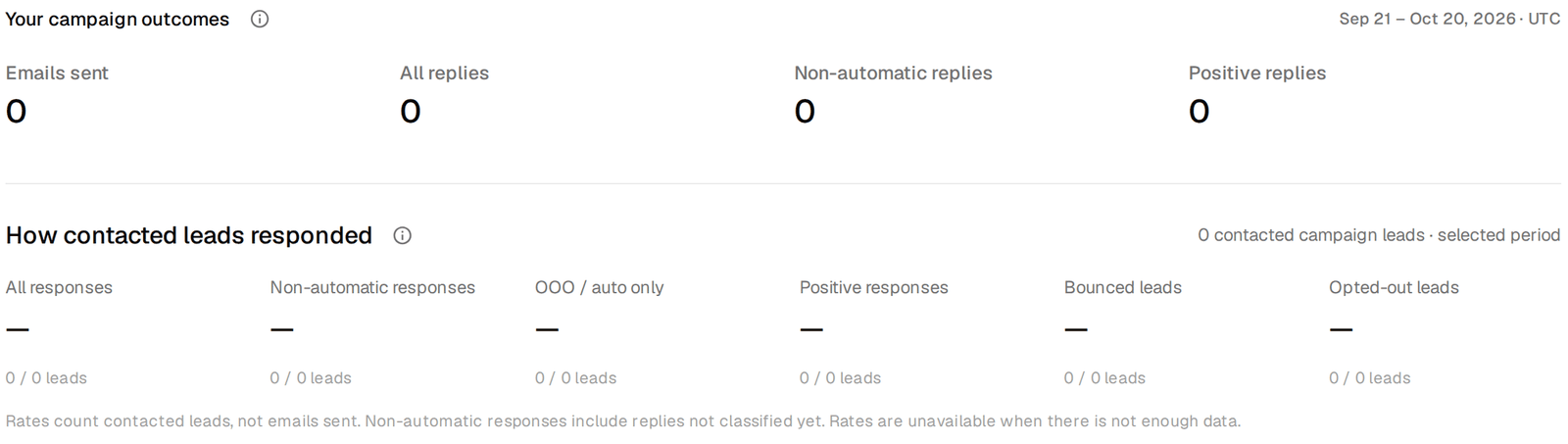
The Campaigns page lists every campaign with its progress, replies, reply rate, positive replies, bounces, senders and leads. The Analytics tab adds the daily chart, the reply breakdown and a table of all campaigns side by side, for the last 7, 30 or 60 days.
What the rates count
All rates are per person contacted, not per email sent. If you wrote to 1,000 people and 30 of them answered, the reply rate is 3%, whether each of them got one email or three.
- All replies counts every answer, including out-of-office notices.
- Non-automatic replies leaves out the autoresponders. This is the number to compare between campaigns.
- Positive replies counts answers labelled Interested or Meeting request.
- Bounced and Opted out are your health numbers.
What healthy looks like, from our own sending
These come from our own campaigns, read from the same analytics. They are reference points, not promises. Your offer, your segment and your copy move them a lot.
                         healthy setup     tired mailboxes
people contacted            ~426,000          ~868,000
all replies                    3.5%              0.7%
non-automatic replies          1.3%              0.3%
bounced                        0.05%             0.7%
The healthy column is one campaign, two emails, sent from mailboxes at 5 cold emails a day each to a valid-only list. The tired column is our other campaigns over the same period, sent from older mailboxes that had been worked too hard. The audiences and offers differ, so this is not a clean experiment. But when we looked into the gap, it was mostly about where the emails landed, and better copy did not close it.
Which number, which change
- Bounces above 2%. The list is the problem. Check that only Valid was allowed in, take catch-all out, and look at where the list came from. Bounce protection will pause you at 10%, but you want to act long before that.
- Non-automatic replies near zero after a few hundred people. First suspect delivery, not copy. Send a test from one of the campaign mailboxes to a colleague at a different company and see where it lands. Then check whether the mailboxes are sending more than you planned.
- Replies fine, positives low. People read it and disagree. The offer or the audience is off. Narrow the audience, or make the ask smaller.
- Lots of referrals and wrong person. You are a level off. Change the job titles, not the email.
- Positives fine, few meetings. It is the follow-through. Answer faster, propose a time instead of a link, and add an Interested subsequence.
- One variant clearly ahead after a few hundred people each. Switch the other off with its Enabled switch and test the next idea against the winner.
One change at a time
The help center explains every number on the analytics page.
Change one thing, give it a few hundred people, then read again. A campaign where the list, the copy and the mailboxes all changed in the same week teaches you nothing, even when it works.
That closes the track. The playbooks apply all of it to specific segments, with filters, sequences and reply handling written out.
