
Replies are the point of the whole exercise, and how fast you answer them matters more than most copy changes. On our own largest campaign, 65% of the people who answered did so within one hour of the email arriving, 88% within a day and 93% within three days. Those people are reading their inbox right now. The best time to answer them is now too.
The Unibox
Unibox collects replies from every mailbox and every campaign in one place, newest first. Folders split them into Replies, Triage, Interested, Bounces and Unsubs, and the filters narrow by campaign or by label.
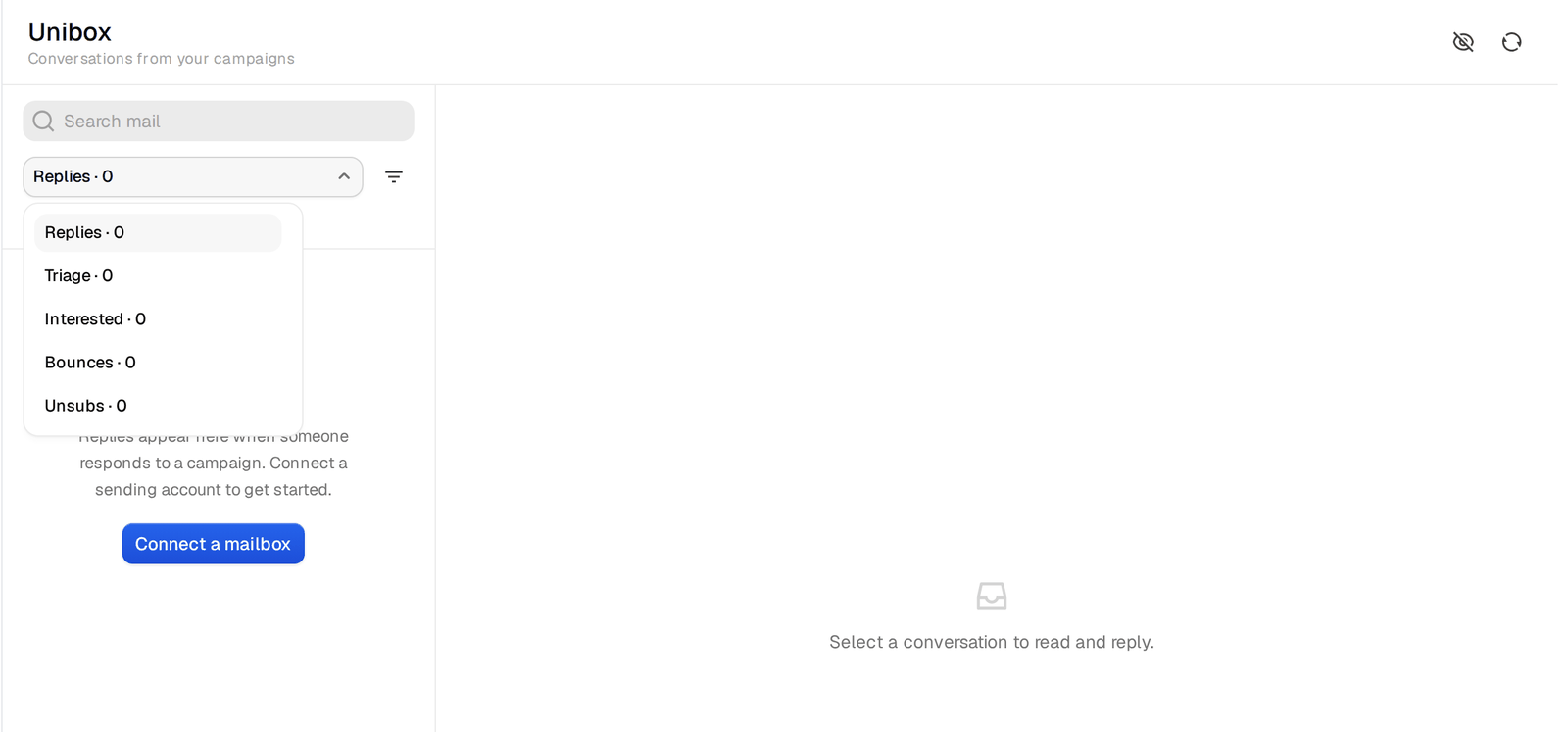
Open a conversation and answer in the composer under it. The reply goes out in the same thread, from the mailbox that sent the original email, as plain text without tracking. You can attach files and forward a conversation to a colleague with a note on top.
Labels
Every reply gets a label automatically. The standard labels are Interested, Meeting request, Out of office, Unsubscribe and Other. More labels can be switched on when they fit how you work, namely Not interested, Question, Referral, Wrong person and Meeting booked.
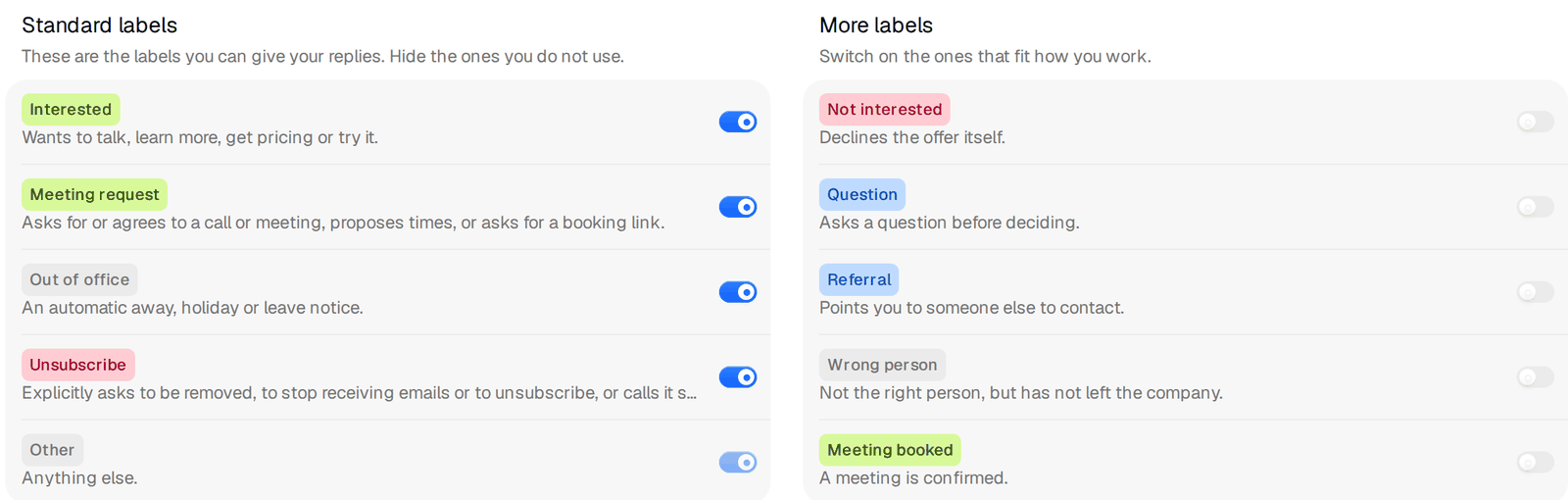
Switch on Referral and Wrong person. On our own largest campaign, one in four hand-written replies pointed us to a colleague, more than the replies that said they were interested. A referral is a warm introduction if you answer it the same day.
Here is the full mix of replies written by people, not autoresponders, from that campaign, so you know what normal looks like.
Referral to someone else      26%
Not interested                24%
Interested                    20%
Question                       6%
Negative                       6%
Wrong person                   5%
Other                          5%
Asked to be removed            3%
Rest                           5%
On top of those, out-of-office notices made up 60% of all replies. They count in the overall reply rate and you can ignore them in day-to-day work.
You can add your own labels too, with a name, a color and a sentence that says when a reply fits. The labelling reads that sentence, so write it the way you would brief a colleague. "Asks about rates or pricing for temp staff" works better than "pricing".
When a label is wrong, change it from the label menu on the conversation. The details then show "Labelled by your team".
Subsequences answer a yes for you
A subsequence is a short sequence that starts when a reply contains one of your keywords. The person leaves the main sequence and gets the subsequence instead, in the same thread. It is how you answer "sure, send me some info" within minutes at any hour, with a real answer and a way to book.
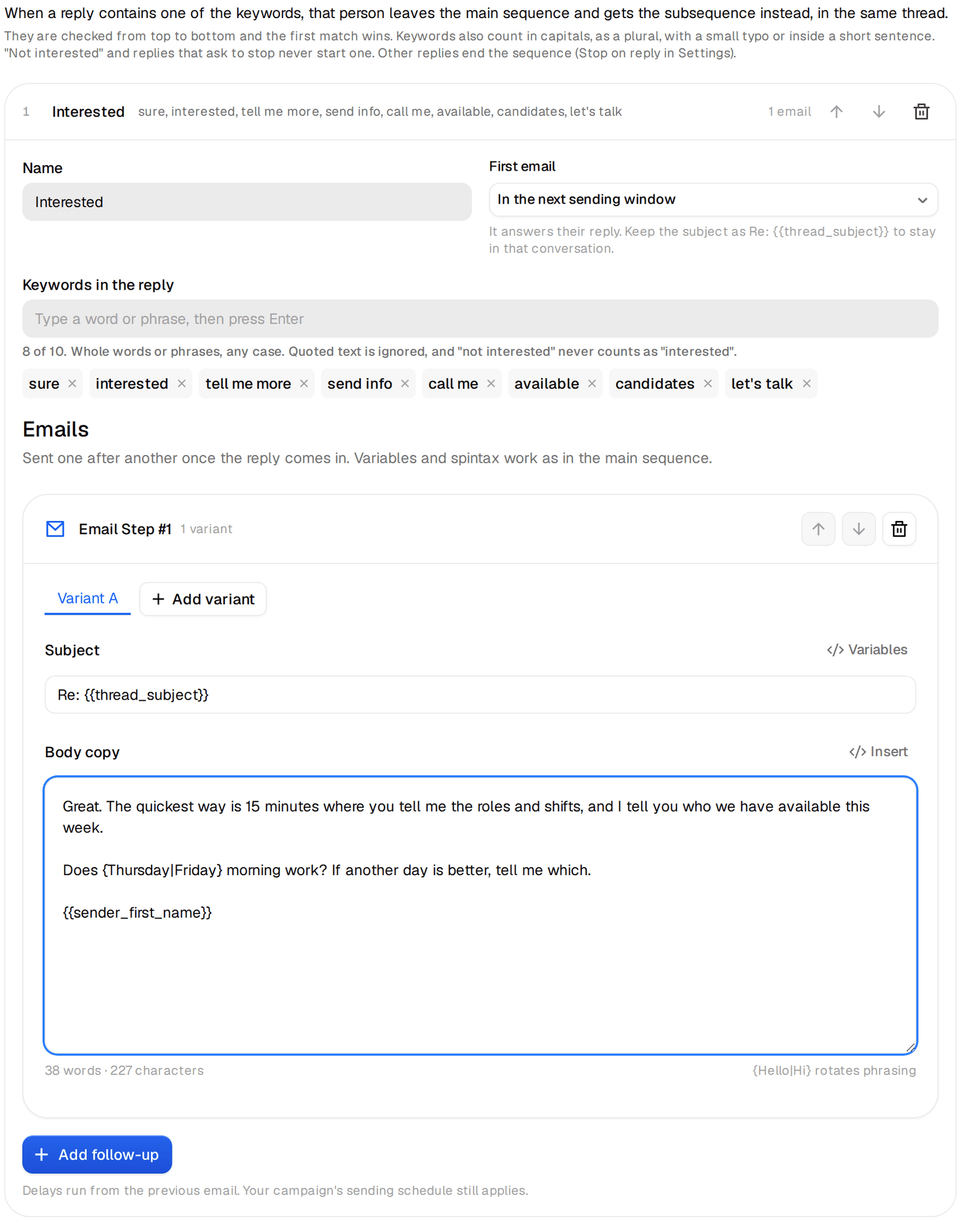
- Open the campaign and its Subsequences tab, then Add subsequence. The first one is called Interested.
- Add up to 10 keywords people use when they mean yes, such as "send info", "interested", "tell me more", "sure", "pricing" and "rates". Matching tolerates capitals, plurals and typos.
- Choose when the first email goes. "In the next sending window" is right for a yes.
- Write the emails. The first one replies in the thread, so its subject is the thread subject.
A reply that says "not interested" or asks to stop never triggers a subsequence, whatever keywords you set. If several subsequences match, the first one from the top wins. You can have up to five per campaign with up to eight emails each.
A good first email in an Interested subsequence is short and does exactly what was asked.
Sure. The short version is that we start with two or three screened people on one shift, and you only pay for hours worked.
Easiest is 15 minutes this week. Does Thursday morning work, or is another day better?
{{sender_first_name}}
Then watch the thread. A subsequence handles the first answer. The conversation after that is yours. The help center covers subsequences and custom labels in more detail.
Getting to the meeting
Propose a specific time rather than sending a link and hoping. When someone accepts, set the label to Meeting booked so your numbers count it. Meeting request is set automatically when someone asks for a call, proposes times or asks for a booking link, so filtering the Unibox by Meeting request each morning shows every conversation that is one answer away from a meeting.
