
An export turns a list into a CSV file with names, titles, companies and email addresses you can use anywhere. This is the moment credits are spent, so it is worth knowing what every option in the export window does.
Open the list
Go to Lists and click the list you want. The top of the page has the three things you can do with it.
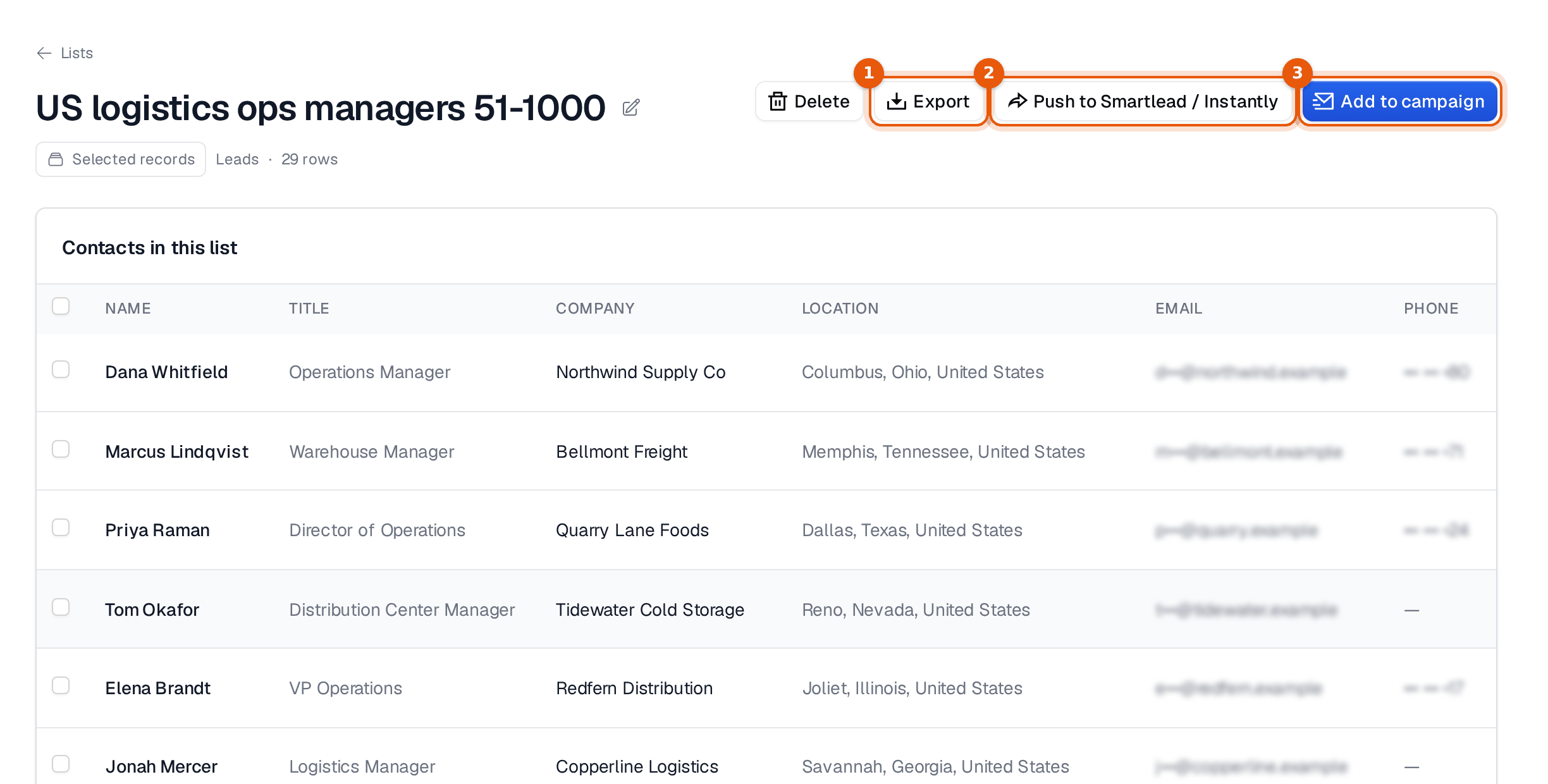
Look through the rows once more. Removing a few people who clearly do not fit costs nothing now and saves credits in a minute.
Choose what goes into the file
Click Export. The export window opens, and nothing starts until you confirm.
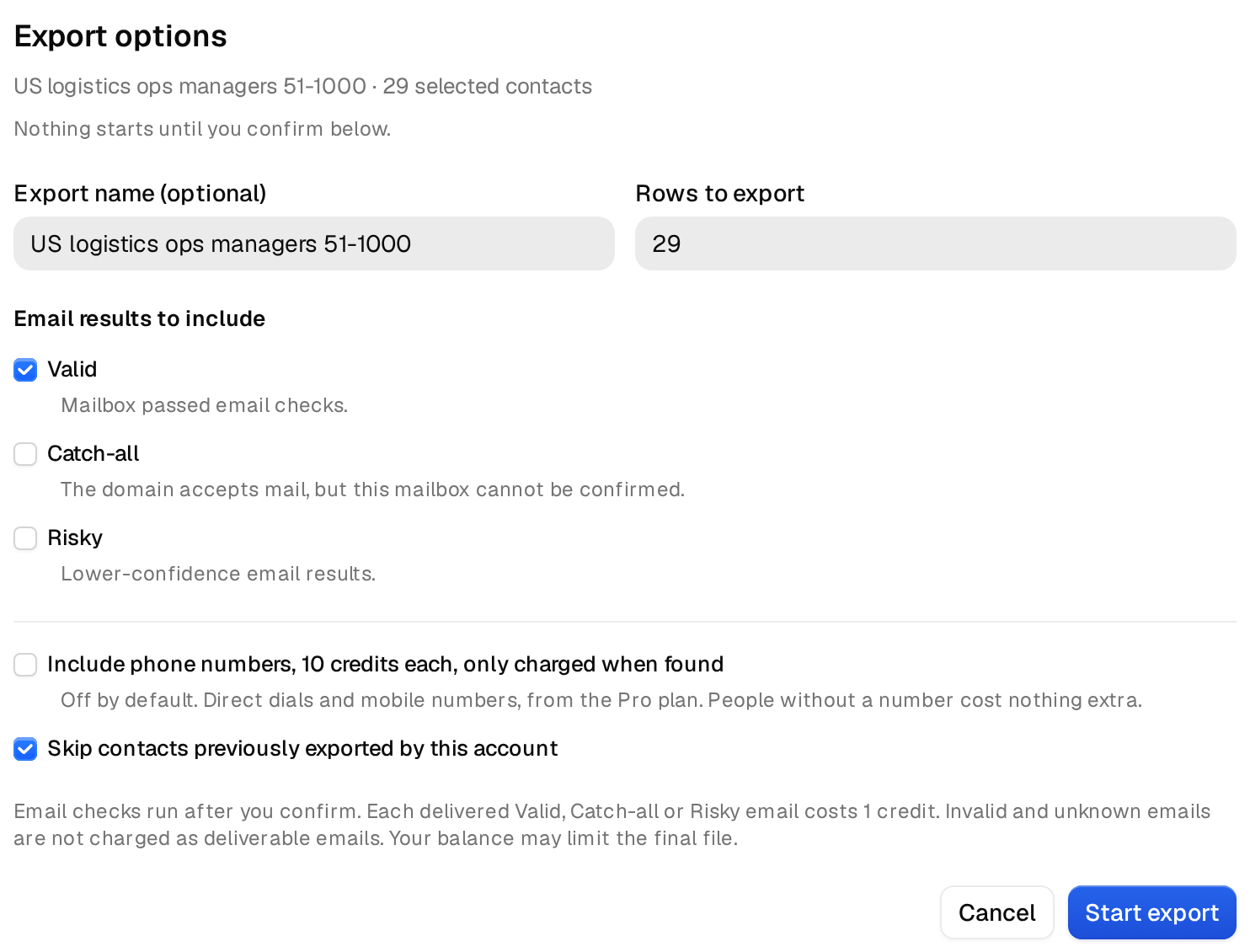
- Export name is optional. Leave the list name, or add a date so you can tell files apart later.
- Rows to export lets you take fewer people than the list holds, for example 200 for a first test.
- Under Email results to include, keep Valid ticked. These addresses passed our email checks.
- Tick Catch-all only if you want addresses at companies whose mail server accepts everything. Those mailboxes cannot be confirmed one by one, so they bounce more often. How to handle catch-all addresses explains when they are worth it.
- Risky is for lower-confidence results. Leave it off for cold email.
- Include phone numbers adds direct dials and mobile numbers where we have them. It is off by default, needs the Pro plan or higher, and costs 10 credits per number found.
- Keep Skip contacts previously exported by this account ticked, so you never pay twice for the same person.
The note at the bottom of the window says what you pay. Each delivered Valid, Catch-all or Risky email costs 1 credit. Addresses that turn out invalid or unknown are not charged. If your balance runs low, the file stops at what your credits cover.
Start the export and download it
Click Start export. Small files are ready in moments. Larger ones run in the background, so you can leave the page and keep working. Open Exports in the sidebar to see every file, its status and the download button once it is ready. Downloading a finished file again is free, so a lost file is never a second purchase. The Exports page tour explains each status.
Why the file can be smaller than the list
A list of 500 people rarely becomes 500 rows. People without a usable address are left out, and so are people you exported before when the skip option is on. You only pay for the rows you get. Why your export cost less than the row count has worked examples.
Use the file soon
Email addresses change when people move jobs. A file that sits in a folder for months is no longer a checked file. Export close to the day you send, and if an old file turns up, export the list again instead of using it. Every column in your export, explained tells you what each column holds when you import the file somewhere else.
